My Electricity Bill - How to add/edit an electricity plan
Adding an electricity plan to your account is essential so Solar Analytics can calculate accurate values
Adding an electricity plan to your account is essential so Solar Analytics can calculate accurate values. We need a correct electricity plan for the pages:
- My Electricity Bill
- Solar Savings
- Plan Optimiser
The process of adding or updating an electricity plan is really easy with our new Electricity Plan Stepper.
Step 1 - Find your plan details
Section titled “Step 1 - Find your plan details”You can find your plan details in a few different places.
- Your electricity contract. This is the document provided by your electricity provider when you first became their customer or changed to a new plan. This is the best place to get your plan information.
- Your most recent electricity bill. Your recent bill usually contains most of the information you need, like the rates and charges for your electricity.
- **Your electricity provider website.**On most of the provider websites you can log in and then view your plan details. This should have all the information you need.
- Energy Made Easy or Victorian Energy Compare.Energy Made Easy (NSW, ACT, QLD, TAS, SA) and Victorian Energy Compare (VIC) are government websites which have all the electricity plans from all providers. You can search for your provider to try and find your plan and click through to get the plan details. Note that there are often multiple plans with the same name, so be sure to check the rates match the ones on your bill.
Step 2 - Access the Electricity Plan Stepper
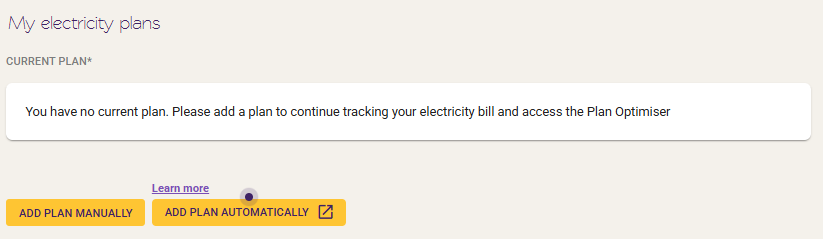
Section titled “Step 2 - Access the Electricity Plan Stepper”If you want to create a new plan, access the stepper by one of the Add Plan Manually buttons from My Electricity Bill or Plan Optimiser pages.
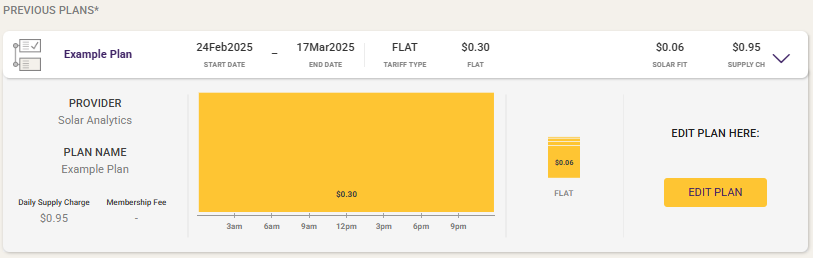
If you want to edit an existing plan, click on the plan card in the Current Plan or Historical Plans list and click Edit Plan
Step 3 - Follow the instructions in the Stepper
Section titled “Step 3 - Follow the instructions in the Stepper”-
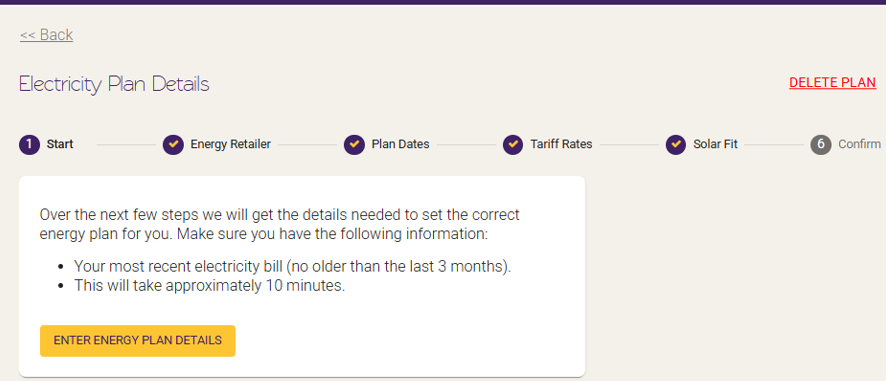
Make sure you have all the information you need (see Step 1) and click Enter Energy Plan Details.
-
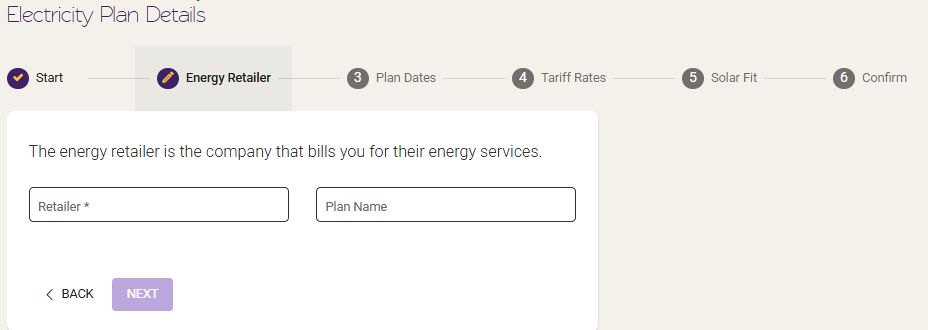
Add in your electricity retailer and plan name. E.g. AGL and Solar Savers - Time Of Use.
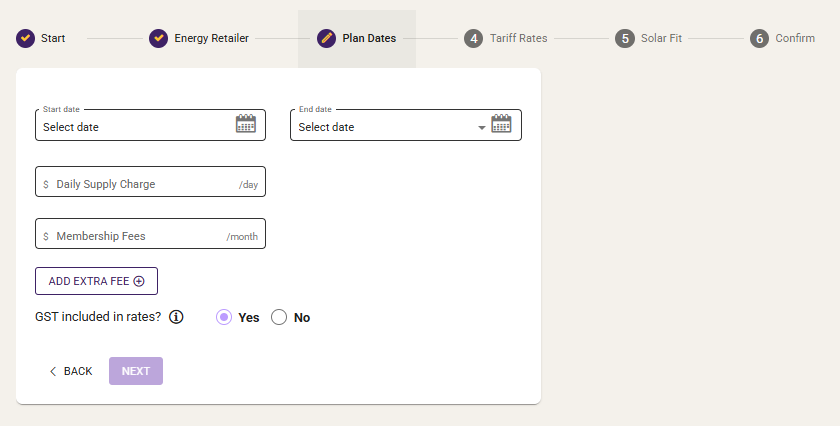
- Add in the dates your plan applies (if it is your current plan, select ongoing as the end date), the daily supply charge ($/day), membership fee and whether GST is included in the rates (you will usually see “rates include GST” or similar on your contract or plan).
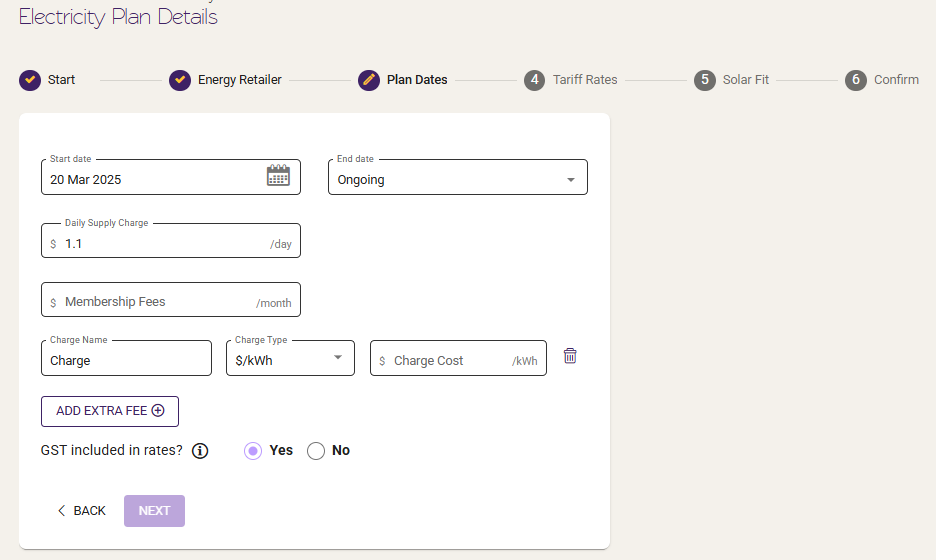
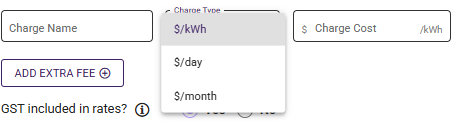
If there are additional fees on your electricity bill, you’d like to account for, please click “Add Extra Fee”. For example Amber has a hedging fee, or plans that have environmental certificate fees, etc.
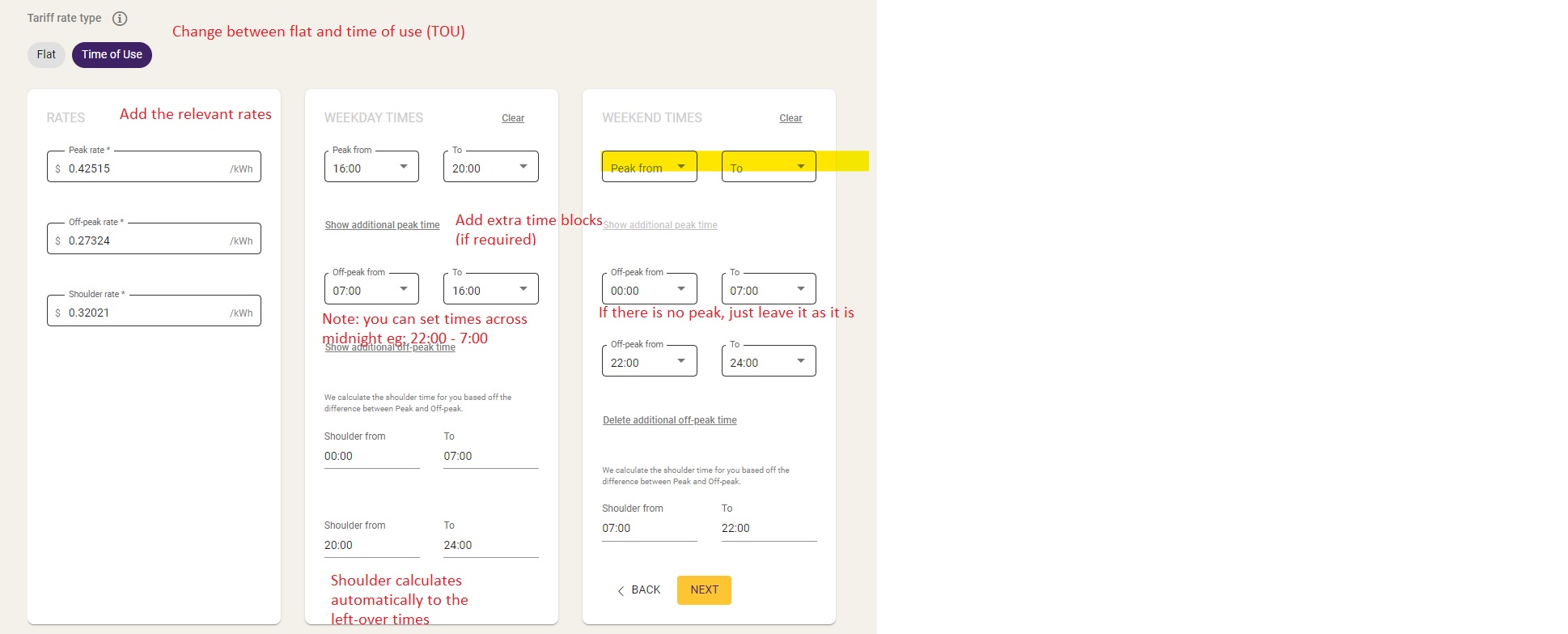
4. Add in your electricity rates ($/kWh) and time of use times (if applicable). For the TOU times, the shoulder automatically calculates to the gaps in your peak and off-peak times. If you do not have shoulder, make the Peak and Off-peak fill all the hours in both weekends and weekdays!
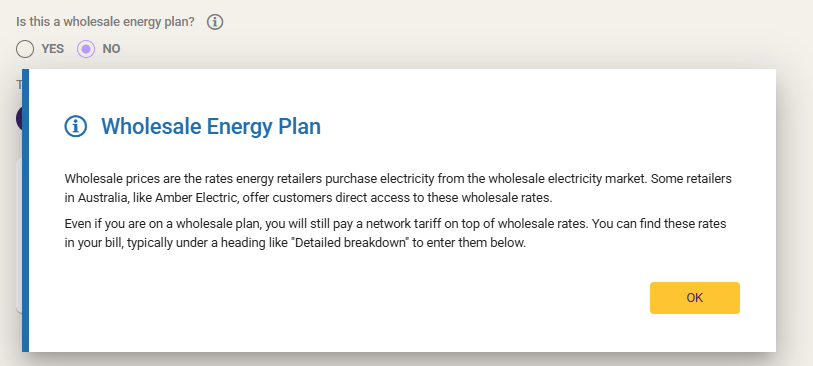
Check if your plan is a wholesale energy plan or not?
Wholesale Energy Plan
Wholesale prices are the rates energy retailers purchase electricity from the wholesale electricity market. Some retailers in Australia, like Amber Electric, offer customers direct access to these wholesale rates. Even if you are on a wholesale plan, you will still pay a network tariff on top of wholesale rates. You can find these rates in your bill, typically under a heading like “Detailed breakdown” to enter them below.
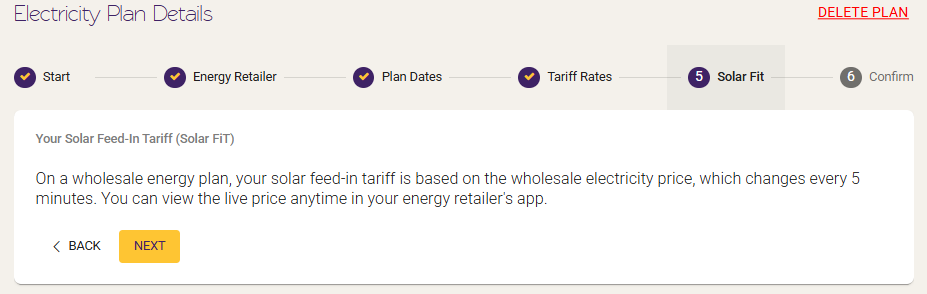
- Solar FIT
If you have a wholesale energy plan, the plan will change every 5 minutes. This will be automatically entered.
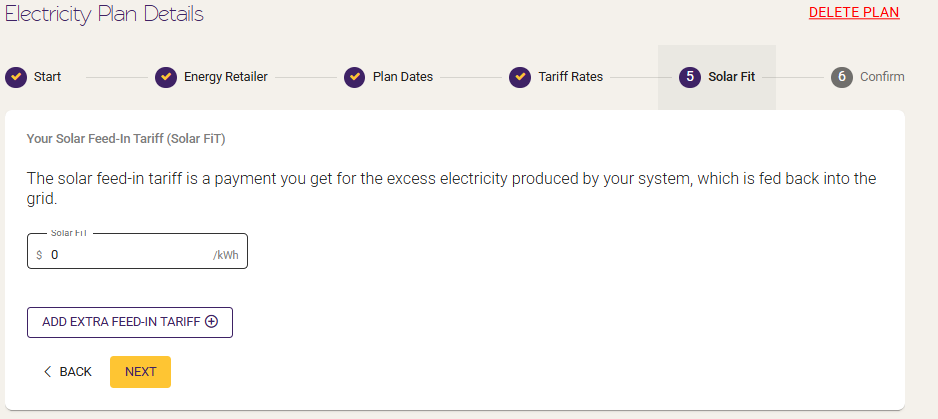
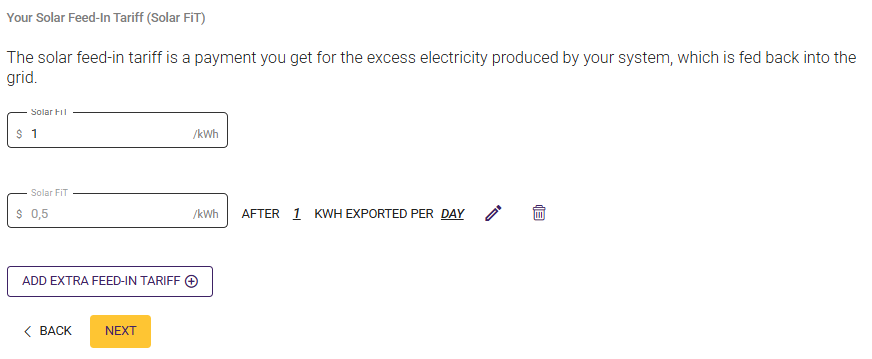
Add in your Solar Feed-in Tariff if you are not on a wholesale energy plan. You are able to add Stepped Feed-in Tariff based on kwh
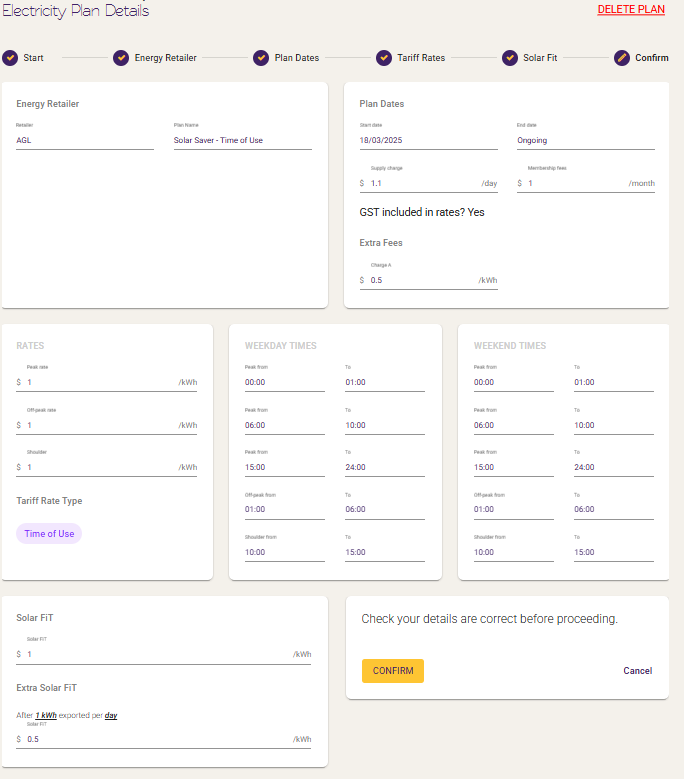
6. Double check all the details are right and click confirm! You electricity plan has now been saved to your account.
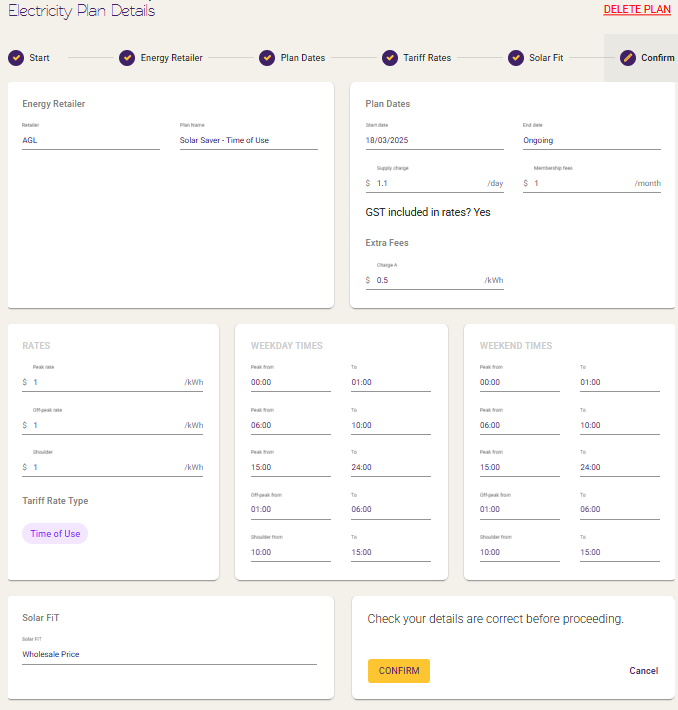
If it’s with wholesale price, it will show “Wholesale Price” in the FIT section
Add Plan Automatically
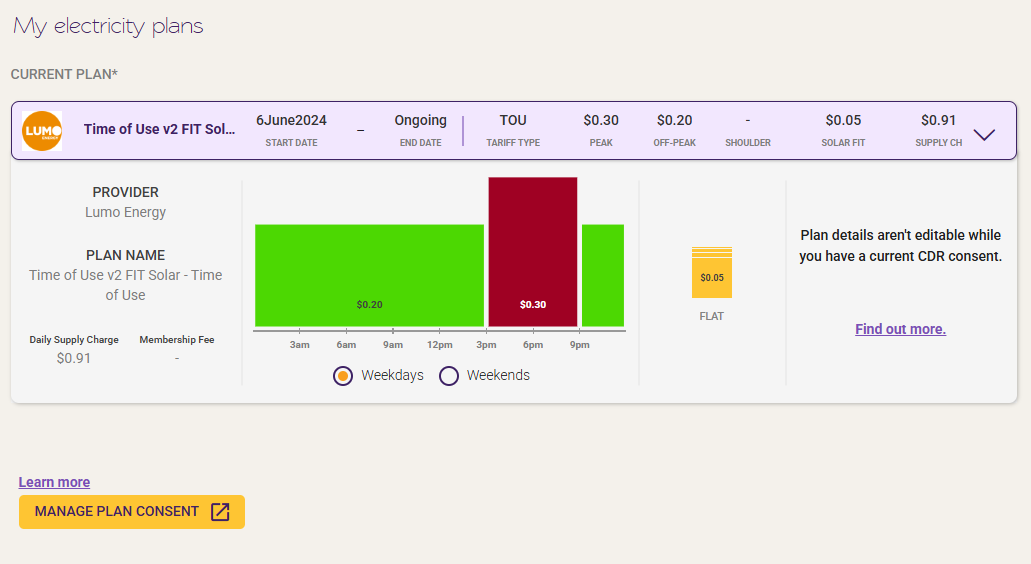
Section titled “Add Plan Automatically”Alternatively, if your data holder is eligible for CDR, you can add your electricity plan via CDR, by pressing “Add Plan Automatically”
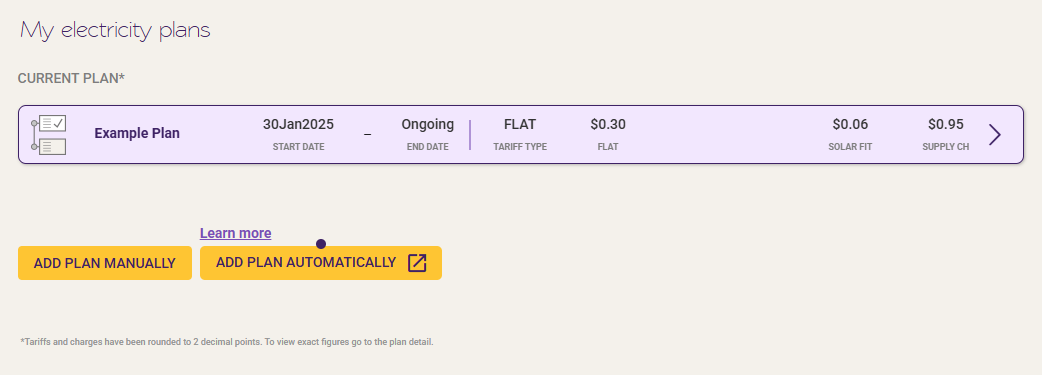
Please note that if you have provided a CDR consent, you will not be able to add/edit your electricity plan manually as with the help of CDR, your plans are automatically updated. For further information regarding CDR and Electricity Plans on Solar Analytics dashboard, please visit here.
You will see something like this: