CDR and electricity plan details
What is CDR?
Consumer Data Right (CDR) is an Australian government initiative that grants consumers the right to easily access their data, enabling them to have more control and make informed decisions when comparing products and services. Initially introduced in the banking sector, CDR has now been extended to the energy sector as well. To learn more about CDR, you can find additional information here.
And what does it mean for my Solar Analytics site?
By providing consent for us to access your energy data through CDR, it means we can automatically add your plan details and keep them updated so you can get accurate, personalised information straight away, including:
- Full plan comparison in Plan Optimiser - to determine if your current plan is right for you
- Our battery calculator, which helps you understand whether a battery might be a good move
- Analysis and tracking of your electricity bills
- Tracking exactly how much your solar has saved you
And - if you have a controlled load - you’ll be able to view consumption on that load and have the cost factored into your solar savings and recommendations.
What if I choose not to provide consent?
If you choose not to provide consent, your energy retailer hasn’t yet made their data available for CDR (check out the current list of supported retailers), or you switch away from a CDR supported retailer, you’ll still be able to input your plan details manually to take advantage of Plan Optimiser, our battery calculator etc. If you switch to another CDR supported retailer, you’ll need to revoke and re-add your consent in order to keep your plan etc up to date.
How do I know if I’m eligible?
Good question. We’re rolling this feature out in stages, so if you go to your Electricity Bill page, you may see that you have the option to ‘Add plan automatically’ in which case it means you can try it now.
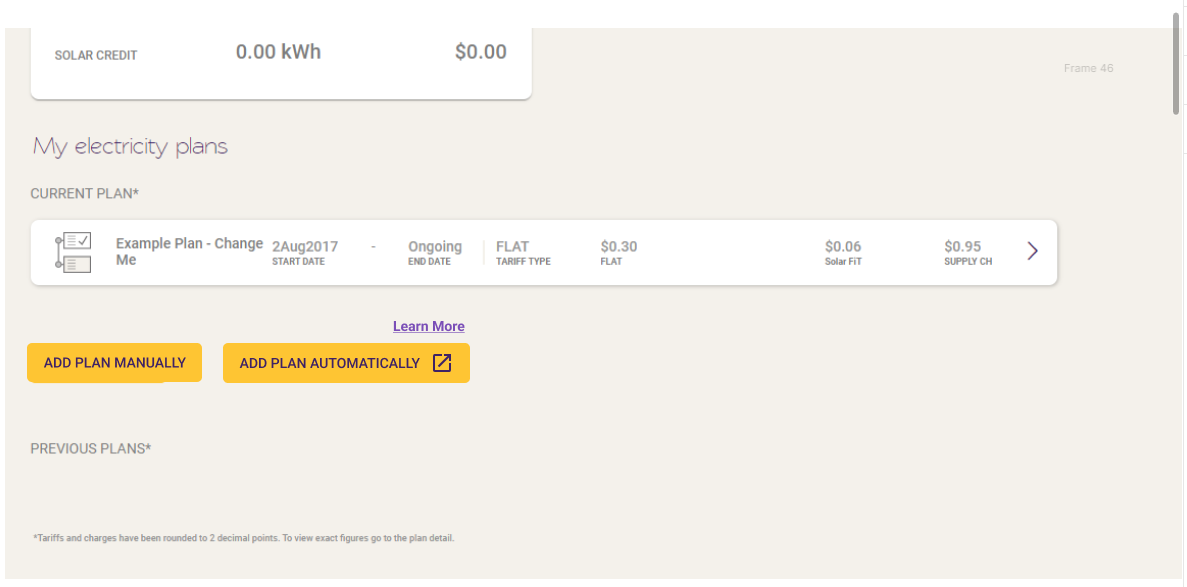
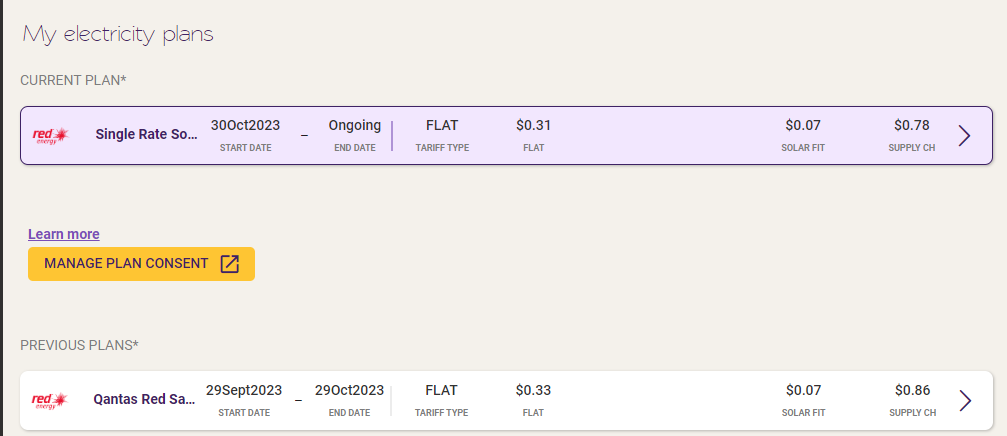
If you see the ‘Manage plan consent’ button, it means it’s been automatically added as part of your Integrated+/CDR consent. You can revoke your consent by hitting the ‘manage plan consent’ button.
How do I add my plan automatically?
If you have the ‘Add plan automatically’ button pictured above, simply click on it and follow the prompts to log in to your electricity retailer. Note: you must use the credientials of the main electricity account holder. If you have a commercial or business account, you may need to contact your retailer first in order to register a ‘Nominated representative’ who can then give consent to sharing your energy data with Solar Analytics.
After you’ve provided your consent, you’ll be taken back to your Solar Analytics Dashboard, and your plan details should be updated within ten minutes. We will update plan details weekly, so if you notice a few days delay after changing plans, that’s why.
If you see any other issues with your plan details, please email product@solaranalytics.com with as much detail as possible about your current plan.
My plan details aren’t right - how do I fix them?
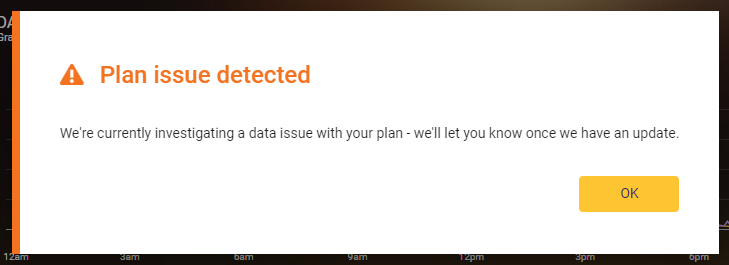
If you received a modal saying there are data issues with your plan, we will follow-up with your energy retailer and update your plan once they are sending us correct data. You don’t need to do anything!
If you received a popup/modal saying that your tariff type isn’t supported, we’re working on it! If you’re not also getting your consumption data or controlled load usage from CDR, the quickest way to fix this may be to revoke consent so you can edit your plan details manually (noting that you may not be able to exactly replicate unsupported tariff types e.g. stepped import rates or TOU solar feed-in tariffs).
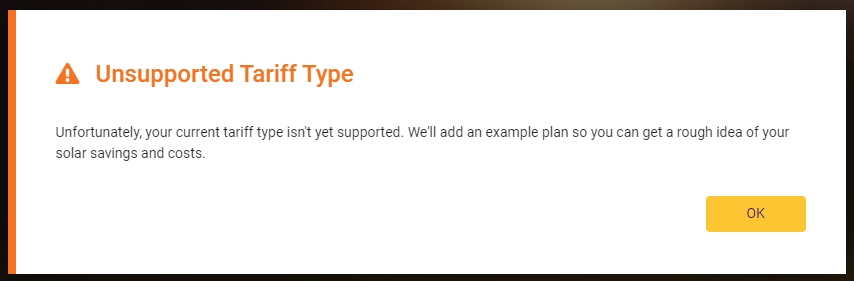
If you didn’t see either of these messages but something about your current plan just isn’t right, please email product@solaranalytics.com so we can look into it for you!
I get a ‘No accounts eligible for sharing’ error message - what does that mean?
Currently, only the “Big Three” energy retailers - Energy Australia, AGL and Origin - offer support for sharing via joint electricity accounts. The other energy retailers will support this from May 2024 - please try again then.
Why can’t I see my energy plan details?
- The plan update was rejected because it was missing some info (e.g. we have seen instances of Origin plans missing feed-in tariff rates).
- The plan update was rejected because it’s a plan type that Solar Analytics don’t currently support e.g. stepped import rates or time of use feed-in tariffs.
- Or you switched energy retailers — in that case you will need to revoke and re-grant permission to share data with their new retailer.
To revoke and regrant permission, click on the ‘manage consent’ button available on their My Electricity Bill page, or under Settings > My Site.
How do I manage my CDR consent?
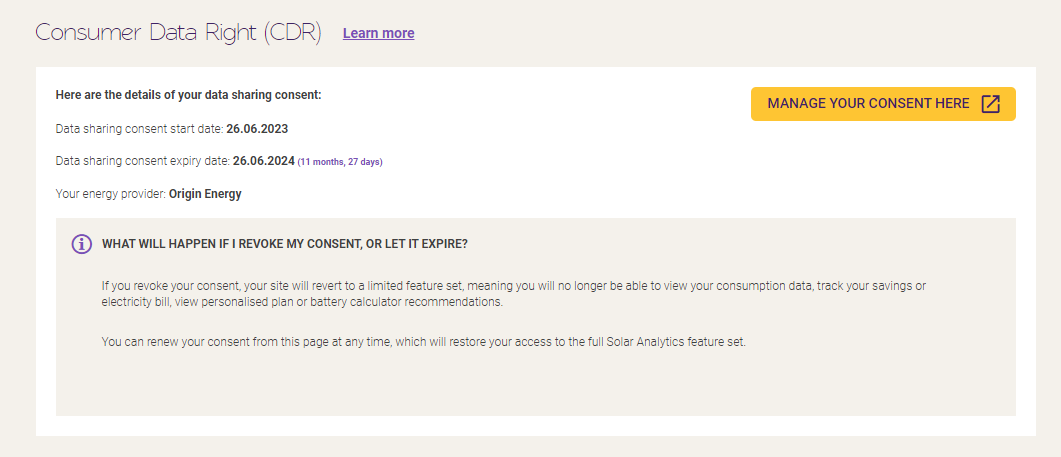
If you wish to revoke or renew your consent, you can do so by using the ‘Manage plan consent’ button pictured above, or going to Settings > My Site and scrolling down to the Consumer Data Right section. If you revoke consent, your plan details will need to be updated manually in order to get correct savings, bill tracking etc.
Please note that if your consumption data is also being provided via CDR, revoking consent will also remove your consumption data.
If your consent is about to expire, please go through Manage Your Consent again and create a new consent with the pencil icon.