

Energy Plans Page - How can I find my 'Energy Plan' information on my electricity bill?
You can locate your tariff information on your electricity bill. Below are some examples of bills.
PRO TIPS:
Section titled “PRO TIPS:”- If you only see ‘Peak’ Usage/Consumption on your bill, this means you are on Flat Rate tariff.
- If you see ‘Peak’ and ‘Off Peak’ Usage/Consumption on your bill this means you are on Time Of Use tariff.
- Some bills may also contain ’Shoulder’ Usage/Consumption. This also indicates you are on Time Of Use tariff.
- ‘Solar Feed-in tariff’ on your bill is equivalent to the term Export tariff.
- Some bills may also have both ‘Solar Buy Back Rate’ and ‘Solar Feed-in tariff’, this means the sum of both rates are your Export tariff.
- The supply charge is the daily supply charge on our end, it means the amount that you are charged per day by your electricity retailer to be connected to the grid
- Finally, please ensure the rate tariff input is in $/kWh when filling the rates on the Dashboard.
Example 1: Locating Flat Rate tariff and Export tariff:
Section titled “Example 1: Locating Flat Rate tariff and Export tariff:”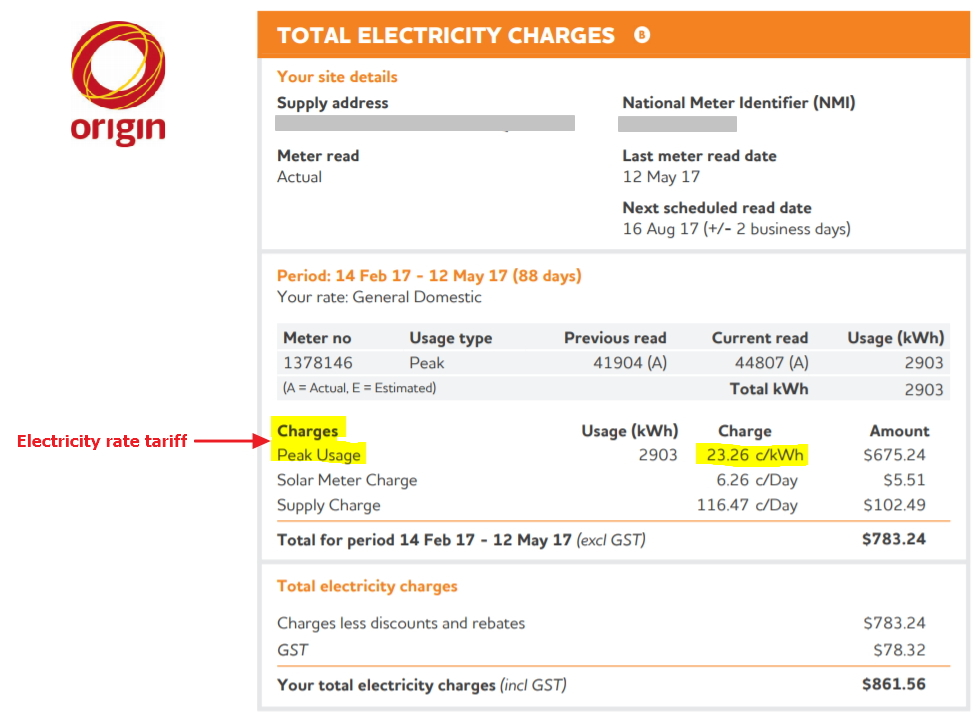
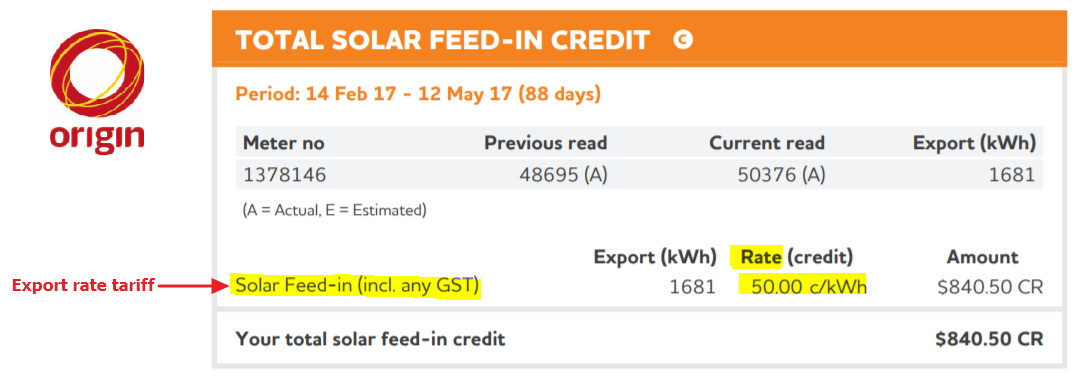
[Source 1: Origin]
Example 2: Locating Time Of Use tariff and Export tariff:
Section titled “Example 2: Locating Time Of Use tariff and Export tariff:”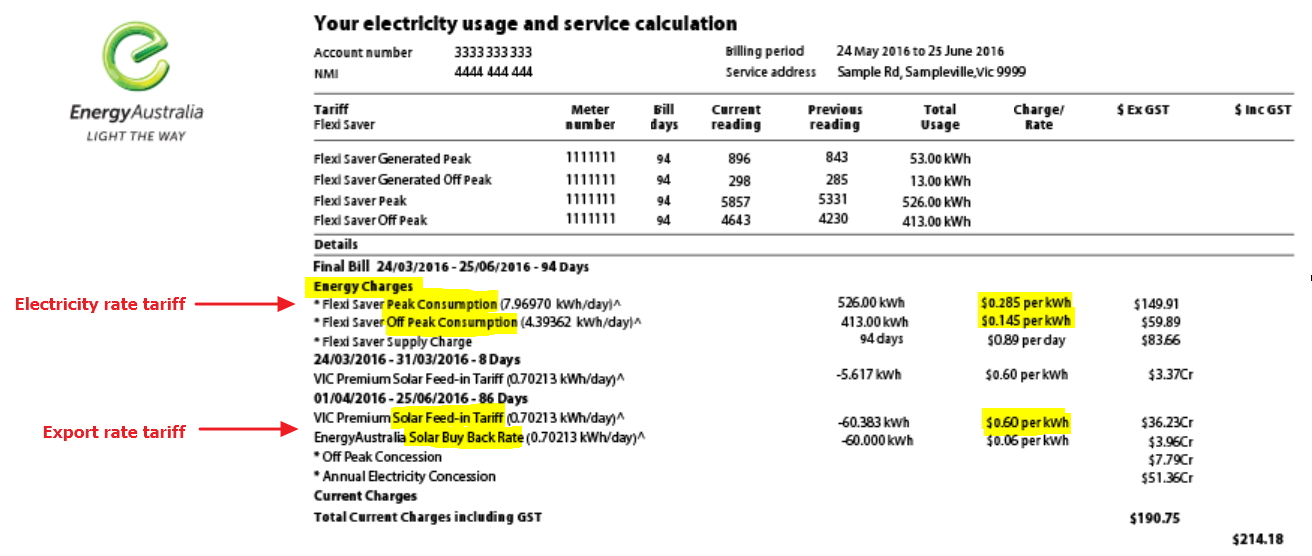 ***[Source 2: Energy Australia]***
Above are only examples from two electricity providers. Different electricity providers will have different bill layouts. As long you follow along with our PRO TIPS, then you should be all set in filling out your information.
If there is any information on your electricity bill that you don’t understand, we encourage you to contact your electricity provider or provide us with a copy of your electricity bill and we would be happy to walk you through it.
Note:
We currently do not have the feature to enter in Controlled tariff (e.g. Off-peak hot water systems) and Stepped tariff details (e.g your usage charge changes after a certain number of kWhs). However, this does not mean it will remain this way. Solar Analytics is continuously improving, and we are confident we will be able to have this feature in the future.
Note whether your energy plans include GST. There is a checkbox on the edit and add ‘Energy Plans’ pages that will allow you to include or exclude GST and we will calculate it for you.
To learn more about how you can enter your energy plans information onto the Dashboard, please visit: How can I update my Energy Plans information on the dashboard? .