

Understanding the CETA Meter Data
Solar Analytics offers billing solution where the data can be downloaded on our dashboard to be processed on your own or to have the billing done by one of our billing solution partners.
The data will come in 28 columns format, however, in this article, we are going to discuss the 11 of them.
| Term | Definition |
| site_id | A unique Solar Analytics id reference |
| t_stamp | The timestamp of the data |
| _Ia | The current on the A/red phase |
| _Ib | The current on the B/white phase |
| _Ic | The current on the C/blue phase |
| _PFa | The power factor on the A/red phase |
| _PFb | The power factor on the B/white phase |
| _PFc | The power factor on the C/blue phase |
| _Uan | The voltage on the A/red phase |
| _Ubn | The voltage on the B/white phase |
| _Ucn | The voltage on the C/blue phase |
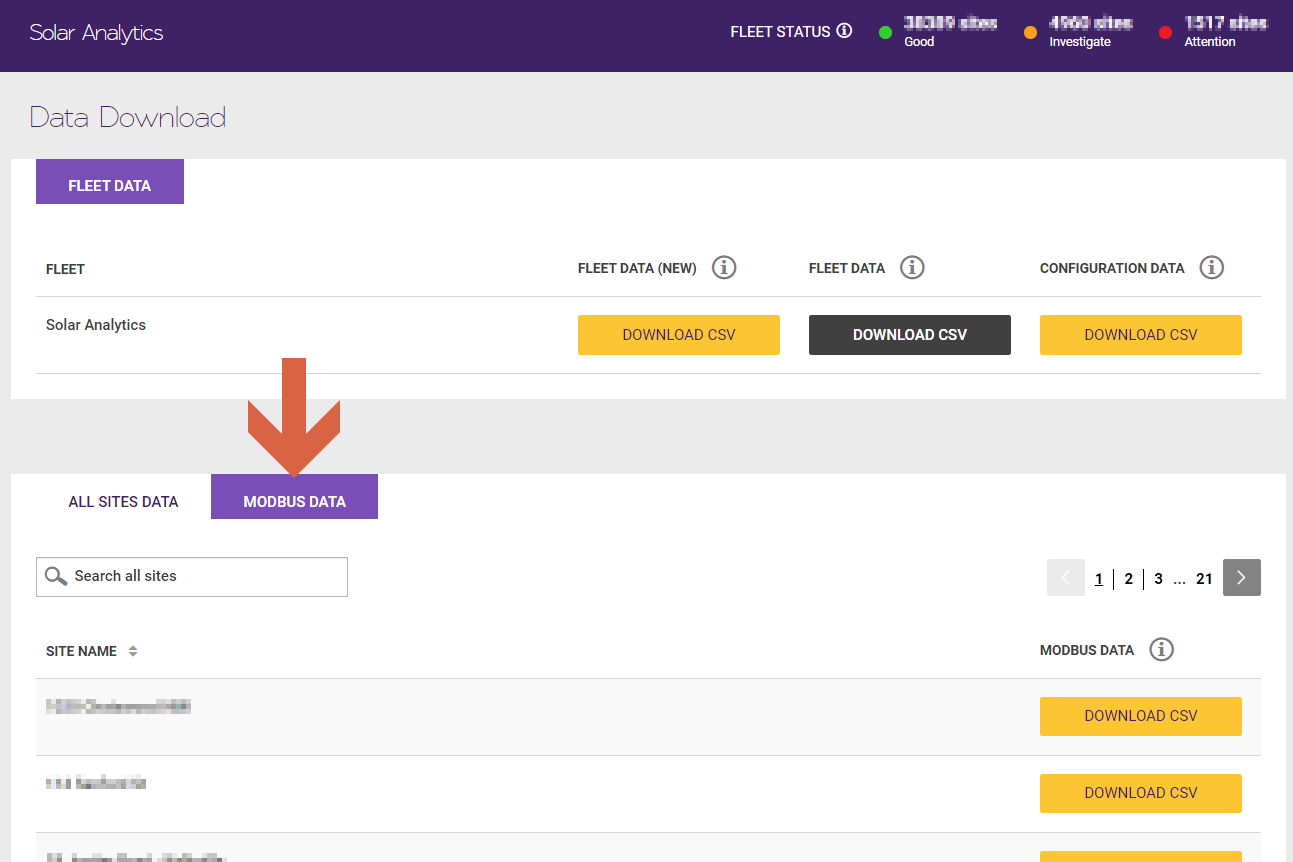
Please follow the following steps to download the Modbus Data:
- Go to the Data Download page (link)
- Select the Modbus Data tab
- Find your site and hit the ‘Download CSV’ button
Please leave a comment if you have any questions.
© 2026 CATCH Power & Solar Analytics