

Data Download: Formatting the time interval of detailed site data
This article will show you how to convert the 5 minute interval data from the detailed site data CSV file into the desired time interval.
Resellers and installers have the ability to download the raw data for sites under a CSV format. Data download support article
If the 5 minute data resolution is too high and needs to be converted into 15 minutes, 30 minutes or 1 hour data you can do so by following these instructions:
On the detailed site data file you will be presented with four columns:

Create a new column next to the Energy Consumed (Wh) column by naming it New Time Stamp

In cell G1, set the desired time interval.
For instance, if you want a time interval of 30 minutes type 0:30; for 1 hour type 1:00

In Cell F2 type the following formula: =INT(C2/$G$1)*$G$1
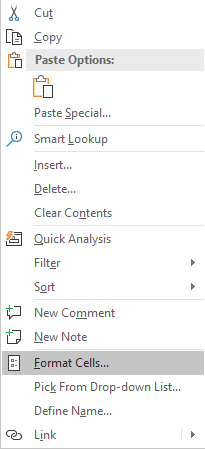
In order for Excel to recognize the value in F2 as a date right click on the Cell F2 and click on Format Cells… as showed below.
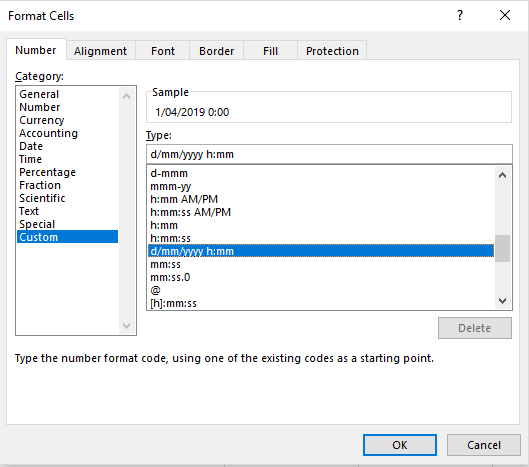
in the Format Cell menu select Custom and d/mm/yyyy h:mm
Expand the formula typed in F2 until the bottom of the table by selecting the cell F2 and scrolling down until the last row of the table, then selecting the last cell in the column F while pressing ‘Left Shift’.
The whole F column should be selected, press Ctrl+D, this will fill the whole column with the formula typed in F2.
Setting the Pivot table
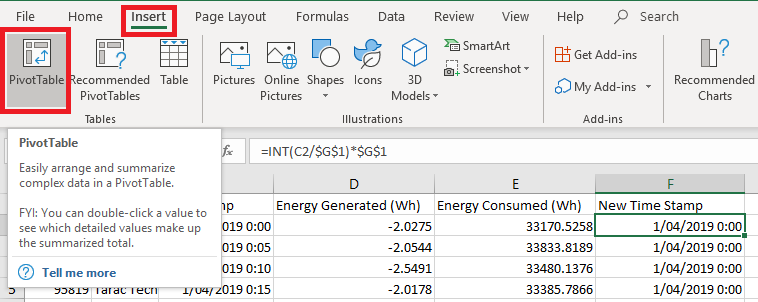
Select the cell F2 then click on Insert and Pivot Table.
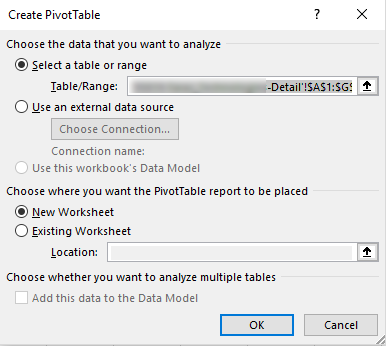
Click ‘OK’ on the Create Pivot Table window
You will then be presented with a new sheet. On the right hand side you will notice a ‘Pivot table Fields’ window. Tick the box next to ‘New Time Stamp’, ‘Energy Consumed (Wh)’ and ‘Energy Generated (Wh)’.
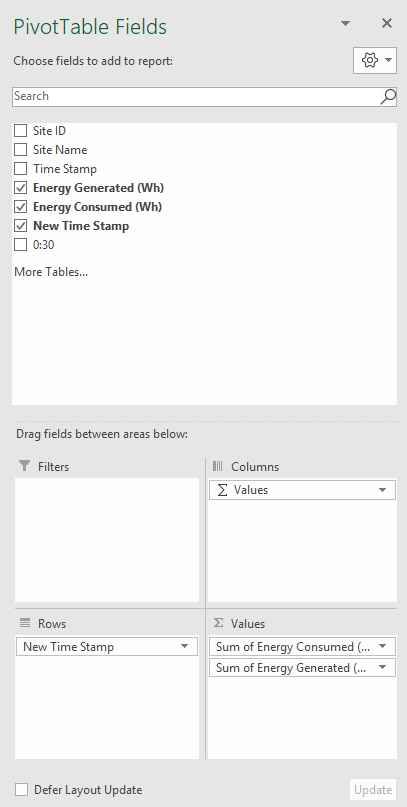
The Sheet should automatically update itself and you will see appearing a new table with the Energy consumed and generated according to the desired time interval.