

Troubleshooting Solar Production Power Factor issue using Live Data
There are a couple of reasons why the reading on Solar Analytics doesn’t match with the reading on the inverter.
- Phase rotation issue
- Polarity issue
- Loose CT
Phase rotation issue
Section titled “Phase rotation issue”Phase rotation issue on a Solar Generation can be easily identified on Live Data by looking into the Power Factor via Long Energy on the Live Data page. When there is a phase rotation issue, the reading of that particular CT will have a power factor equal to 0.5. Try to look for a date that has a full day of data. Please refer to the image below.
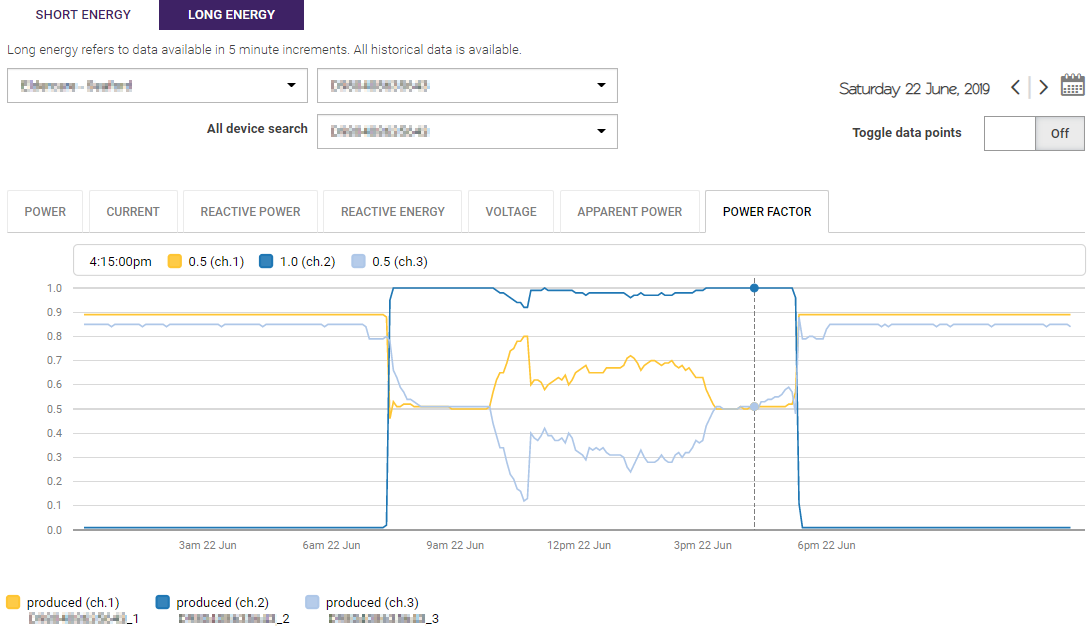
If you something like this, the next step that you need to do it to check the Voltage tab. There are two related scenarios with the voltage:
-
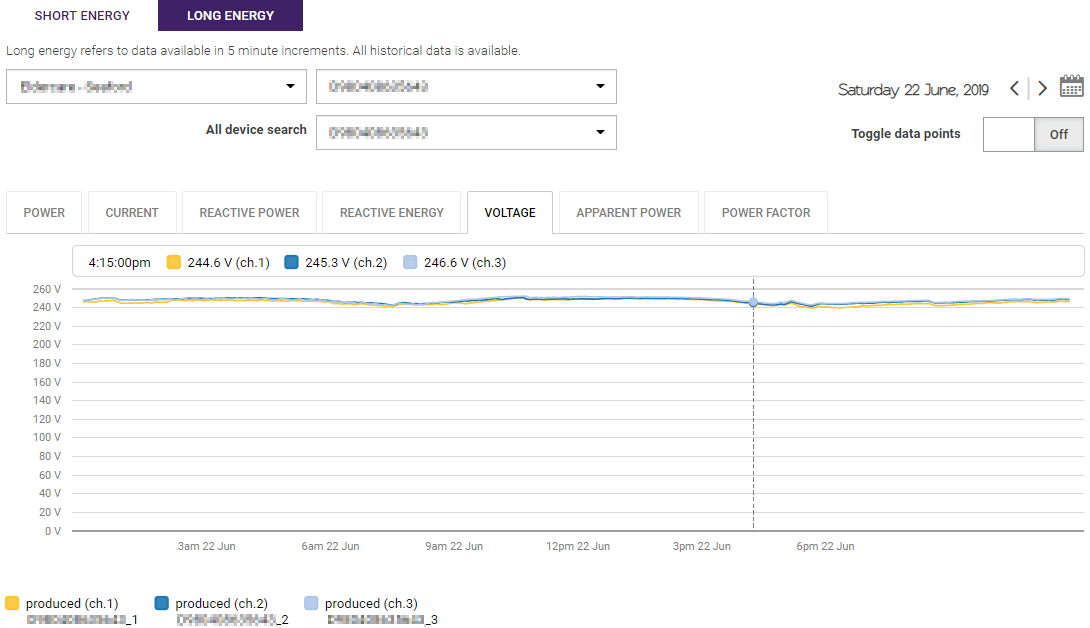
If the voltages across all channels are same, it is very likely that there is a physical wiring issue with the device (i.e. single-phase wiring for the device, however, the site is multi-phase). Hence, you need to arrange someone to go back to the site to rectify the wiring issue.
-
If the voltage across all channels is slightly different, there is a high chance that this is something that can be rectified by Solar Analytics Support Team remotely. Please refer to the image below as an example.
Polarity issue
Section titled “Polarity issue”Another reason for different readings between the inverter and Solar Analytics is a polarity issue. When this happens, the reading of the reverse polarity CT will cancel out some of the readings from good CTs. Please refer to the image below.
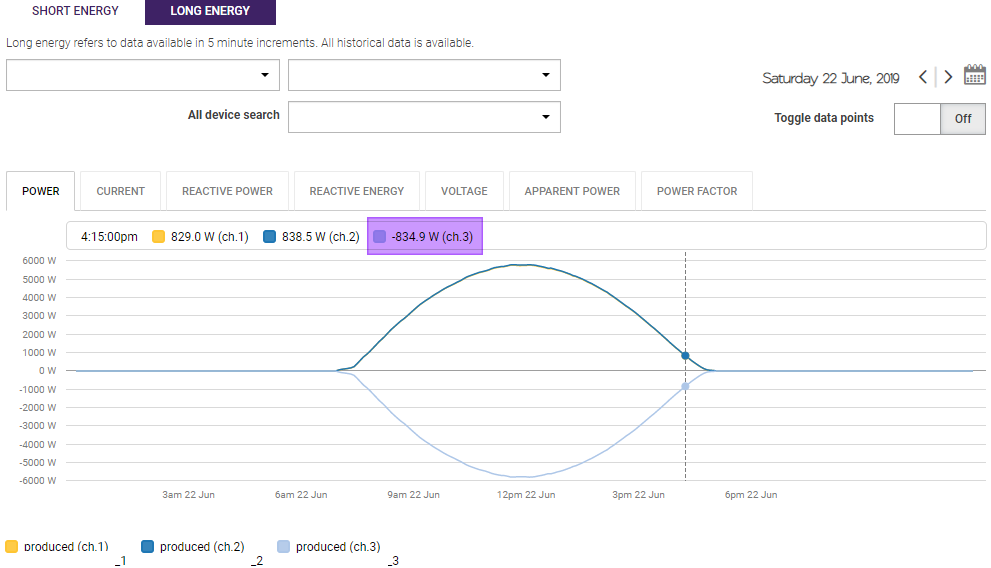
If you are seeing this, please contact Solar Analytics to get the polarity swapped remotely.
This issue is usually happening when the CT was installed using a reverse CT, to begin with, then, the installer realised it before they left the site and physically rectified the polarity of the CT. As a result, we got mix positive and negative data for the Solar Generation and the polarity algorithm may be confused and make an incorrect judgement.
Loose CT
Section titled “Loose CT”Another reason for different readings between the inverter and Solar Analytics is when the CT is not clamped tightly. This can be identified on the Live Data by looking into the Power readings of each CT. For a three-phase inverter, the power reading across all three CTs should be quite similar. Hence, if the absolute power reading from on the CTs is significantly lower than the others, there is a high chance that the CT is loose. To rectify this, you need to arrange some time to go back to the site to make sure the CT clamp is click.
Another physical check that you can do before leaving the site is to make sure that there is no buzzing noise coming from the CT.