

Fleet Features: Control for Production and Performance pages
Solar Analytics now provide the ability to do individual and fleet site control for displaying Production and Performance pages. These are the only 2 pages that we have enabled for controlling. The rest of the pages are by default available.
- This is only eligible for Installer Admin of the fleet group and to control sites that are within the fleet group.
- Feature can be accessed by going through the Fleet Dashboard > Click on the Site > Go to Dashboard > Settings > My Site > Scroll down Display Page Settings
- Owners are not able to access to control the page settings. If owners would like to request to enable or disable, please reach out to the installer.
Individual site control for displaying Production and Performance Page
Section titled “Individual site control for displaying Production and Performance Page”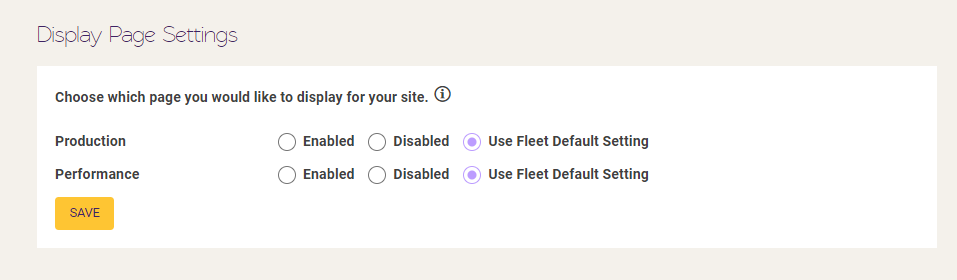
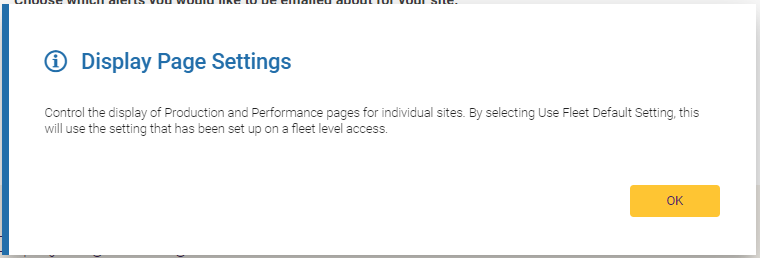
- Enabling means to show Production Page
- Disabling means to hide Production Page
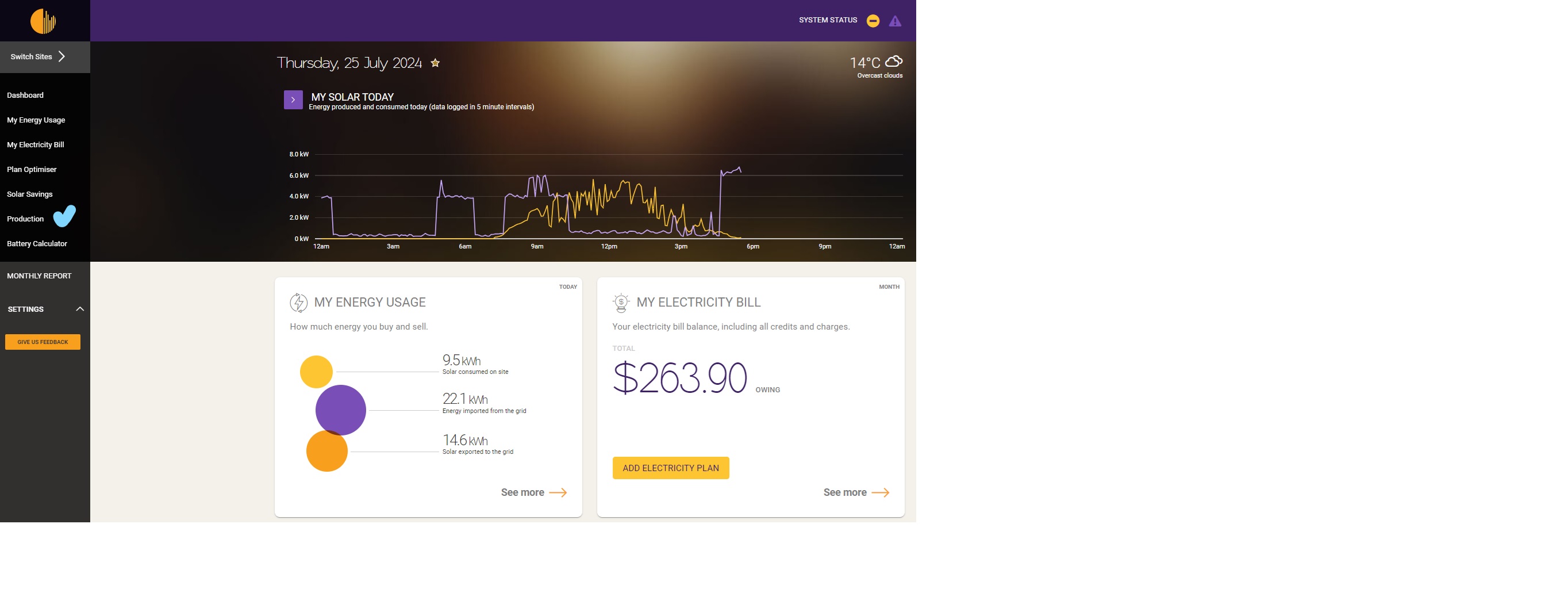
Please see the example below where a site has been enabled for Production but Performance page is disabled
Fleet Control for displaying Production and Performance Page
Section titled “Fleet Control for displaying Production and Performance Page”We also enable Installer Admin to control the whole fleet’s access to these 2 pages.
We have created a new menu called the Fleet Features Menu for setting up visibility.
This is only eligible for Installer Admin of the fleet group and to control sites that are within the fleet group.
Feature can be accessed by going through the Fleet Dashboard > Fleet Features menu
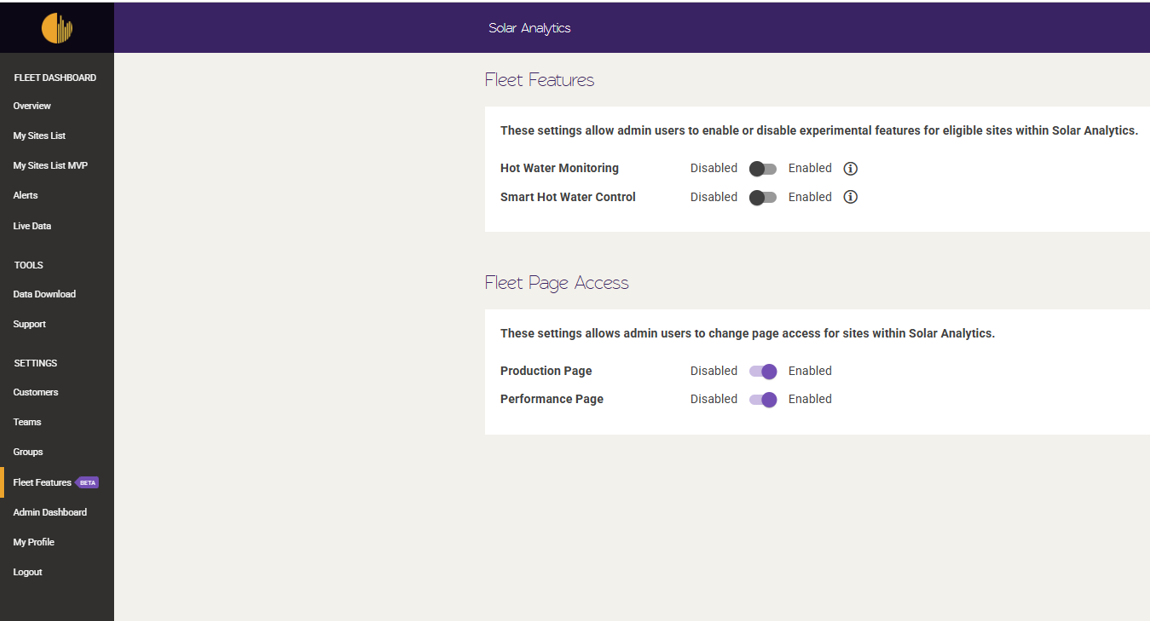
Owners are not able to access to control the page settings and will not have Fleet Features menu in the customer dashboard. If owners would like to request to enable or disable, please reach out to the installer.
FAQ:
- If a site that was individually set up to view production and performance pages, and if this site is migrated to a fleet that is by default disable the pages, the individual setting supersedes the fleet default and thus the site will still show both production and performance page. This can be altered again by updating the individual setting.