

Integrated+ Overview
What is Integrated+?
Integrated+ provides a way for customers without consumption meters to get solar and energy monitoring with Solar Analytics, using data obtained via CDR from their energy retailer.
Cool, and what’s CDR?
Consumer Data Right (CDR) is an Australian government initiative that grants consumers the right to easily access their data, enabling them to have more control and make informed decisions when comparing products and services. Initially introduced in the banking sector, CDR has now been extended to the energy sector as well. To learn more about CDR, you can find additional information here.
And what about Solar Analytics?
By granting consent for us to access your energy consumption data through CDR, you gain access to the complete range of Solar Analytics features, allowing you to maximise the benefits of your rooftop solar. These features include:
- Personalised energy plan recommendations to find the best energy plan with Plan Optimiser
- Daily and aggregated views of your household energy usage so you can self-consume more of your solar energy Analysis and tracking of your electricity bills
- Understand if a battery is right for you with Battery Calculator
- Tracking exactly how much money your solar has saved you
CDR can also be used to automatically update your plan details. Find out more information here .
How do I know if I’m eligible?
Good question. You’re eligible if you:
- Have a wi-fi enabled Fronius, Sungrow, Goodwe, GE or LG inverter
- Live in one of the states in the National Electricity Market (NEM) - so that’s Queensland, New South Wales, Australian Capital Territory, Victoria, Tasmania and South Australia
- Are with one of the supported energy retailers
Sign up for Solar Analytics Integrated+ with CDR
If you tick all the eligibility boxes above, you are ready to sign up for Integrated+
- If you don’t already have a Solar Analytics site, you can sign up here.
- Once your site is registered, navigate to the Dashboard section and locate the “My Energy Usage Card”. Within this card, you will find an “Add Consumption Data” button.
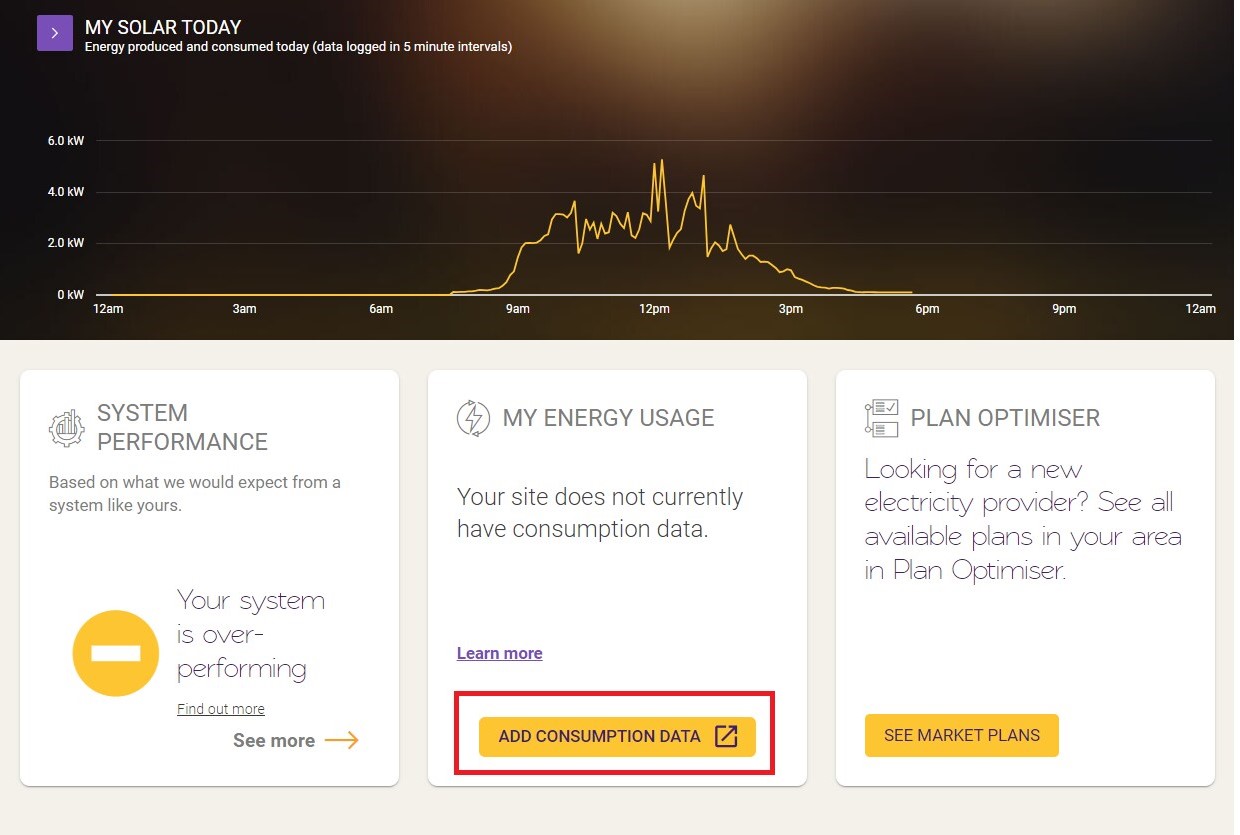
- Follow the prompts to add your consent.
- After you’ve provided your consent, you’ll be taken back to your Solar Analytics Dashboard, and you should start to see consumption data appear after ten minutes. You’ll know your consumption data has been added as your Dashboard will start looking something like the below:
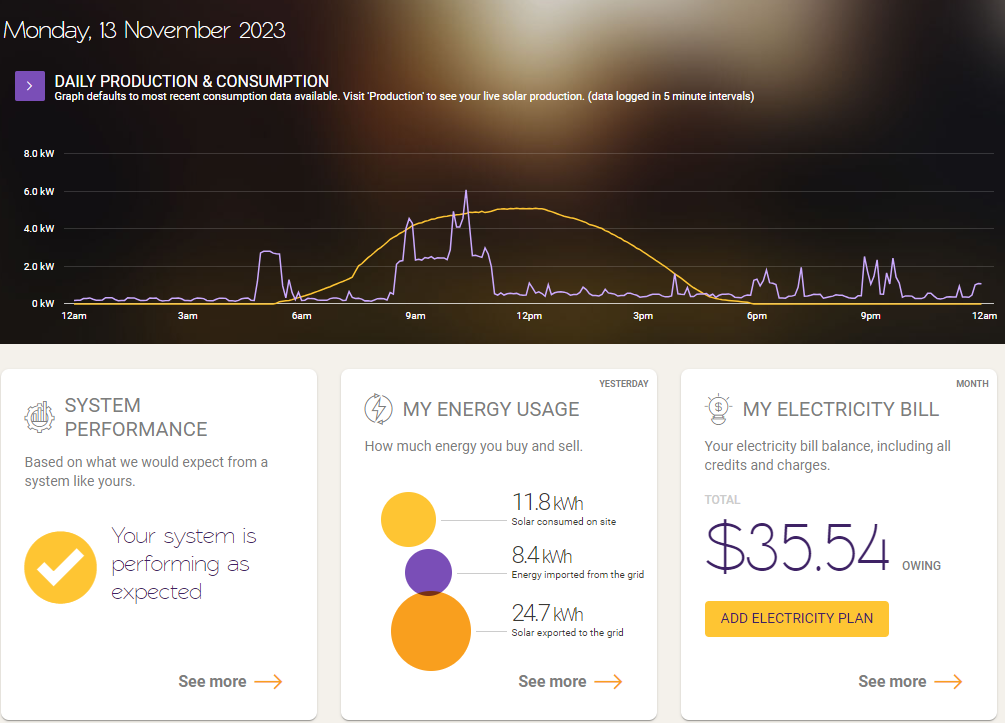
Please note: your consumption data will be one day behind (that’s when your energy retailer provides it to us). Your solar production data will be live. Only the primary site owner will be able to see consumption data due to the CDR Rules.
How do I manage my CDR consent?
If you wish to revoke or renew your consent, you can do so by going to Settings > My Site and scrolling down to the Consumer Data Right section. If you revoke consent, your consumption data will be deleted and you will lose access to Plan Optimiser, Battery Calculator, Solar Savings, Electricity Bill etc.
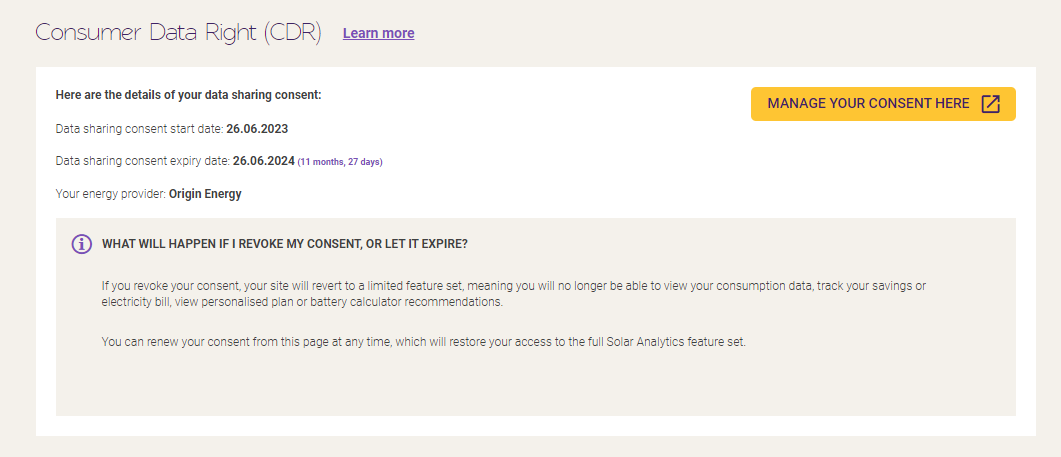
Will I be reminded of my consent expiry date?
Yes we will send you a reminder 1 day before the expiry date, something like this template below.
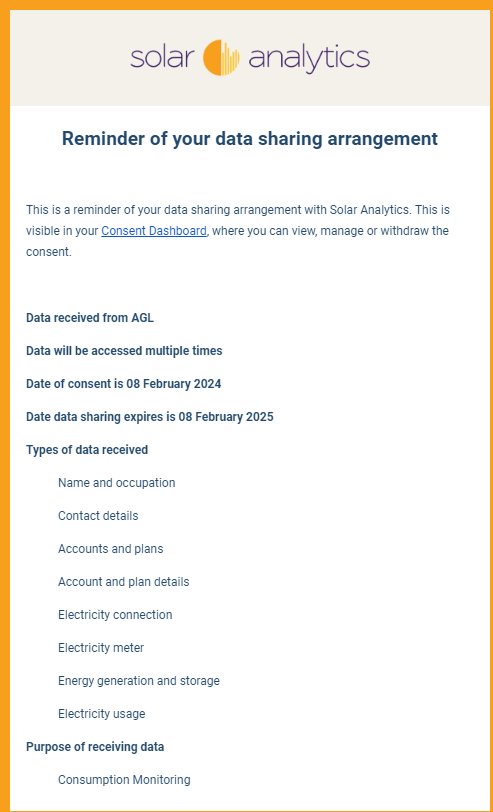
We suggest you to renew your consent by going back to Settings > My Site > scroll down and see Manage your consent here:
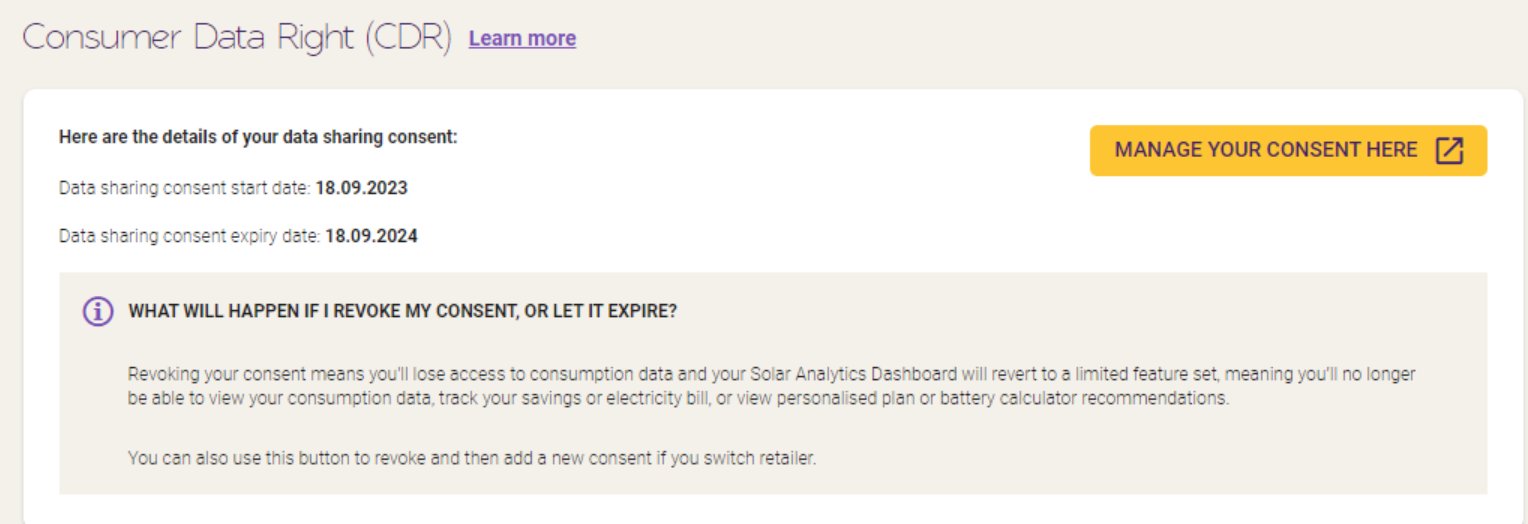
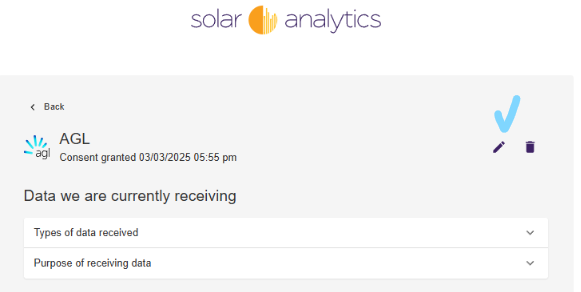
Please follow the prompt to add a new consent. This way you will still keep your data.
Click the pencil icon for renewal
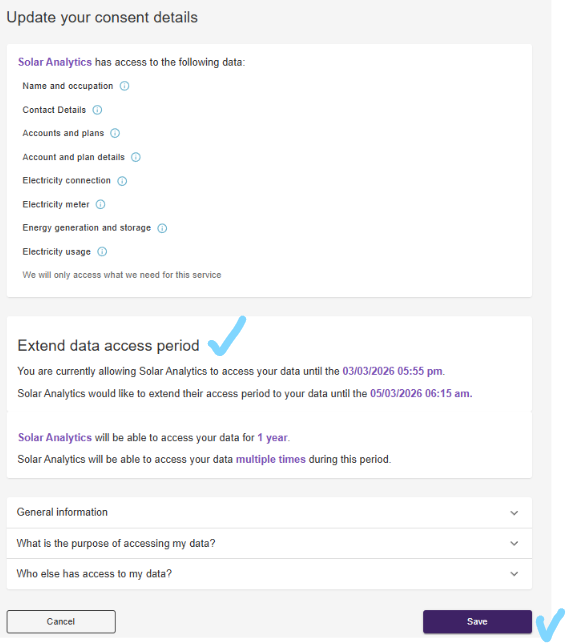
What if I regrant my consent after expiry date?
Please note since each consent is only for 12 months, an expired consent will wipe away the previous 12 months. If this happens to you, do not worry, please continue to grant your consent, our system will backfill up to 3 months, and please reach out to our support team who can manually retrieve this data back.