

CDR and Demand Tariff
What is a Demand Tariff
If you’re here, you probably know this already, but a demand charge is a cost an electricity customer pays for their peak usage. Typically, they are charged per their maximum 30-min period of consumption in a calendar. This maximum point is often only measured during peak period (i.e. afternoons/evenings of weekdays). The rate is usually measured in units of $/kW/month.
Historically we haven’t been able to track usage (or cost) for Demand Tariff for sites in the National Electricity Market states (QLD, NSW, VIC, ACT, TAS, SA), providing your electricity retailer is participating in CDR. View the current list of supported retailers here.
What is CDR?
Consumer Data Right (CDR) is an Australian government initiative that grants consumers the right to easily access their data, enabling them to have more control and make informed decisions when comparing products and services. Initially introduced in the banking sector, CDR has now been extended to the energy sector as well. To learn more about CDR, you can find additional information here.
And what does it mean for my Solar Analytics site?
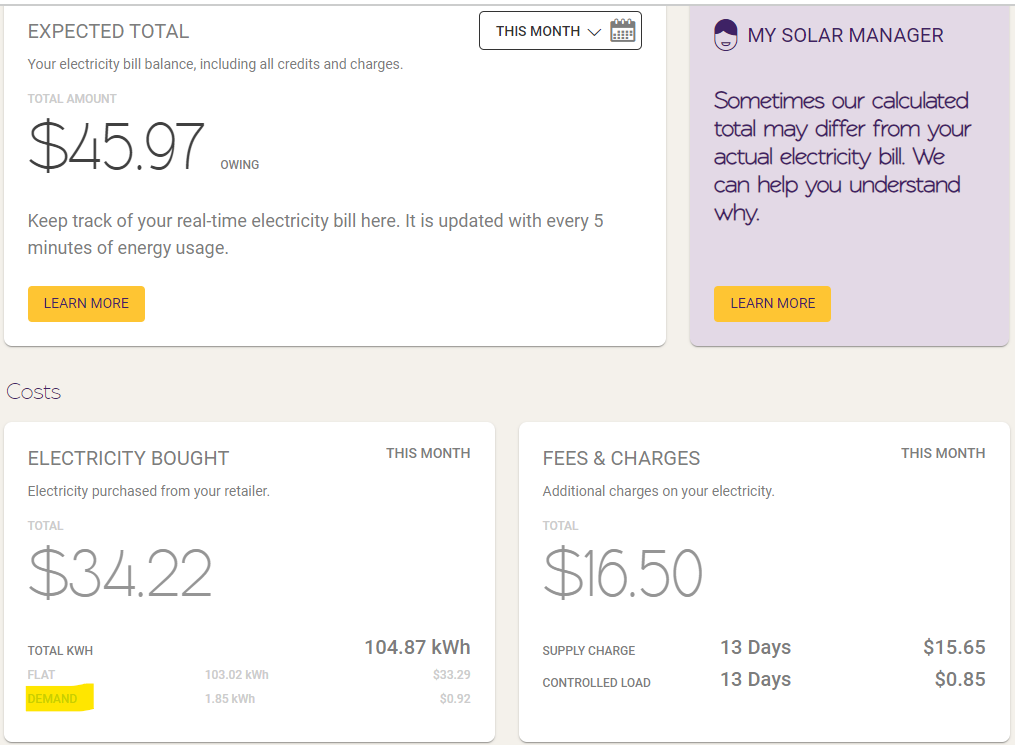
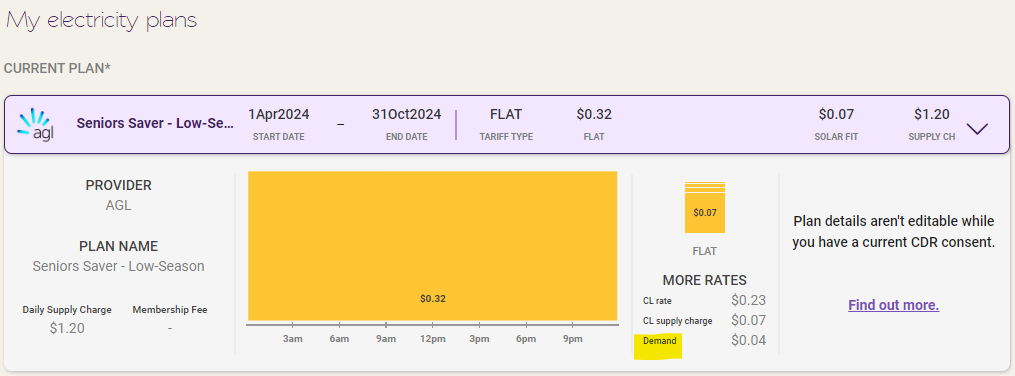
By providing consent for us to access your energy data through CDR, it means we can show your Demand Tariff, and take it into consideration when calculating your electricity bills and savings tracking, as well as your plan recommendations in Plan Optimiser.
Additionally, we’ll also automatically add your electricity plan details and keep them updated so your electricity bill and savings calculations, and plan and battery recommendations will always be accurate. More information on that here.
Does this affect my electricity bill and savings calculations, and plan recommendations?
Great news - now that we have your Demand Tariff usage and cost, your electricity bill and savings calculations will be a LOT more accurate. We’ve also updated Plan Optimiser, so it will default to showing you plans with controlled loads first (just expand the plan to all rates and charges).
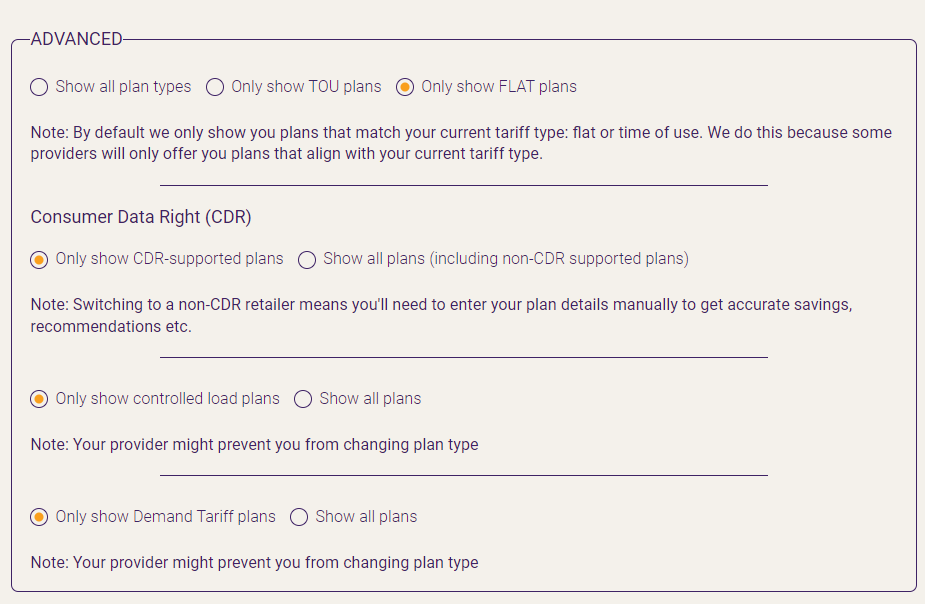
Please note that Plan Optimiser will default to showing plans that match your current tariff type, are from retailers that are live with CDR and that have Demand Tariff rates.
The filter toggle Demand Tariff will only appear if your current active plan has a demand tariff.
How do I sign up?
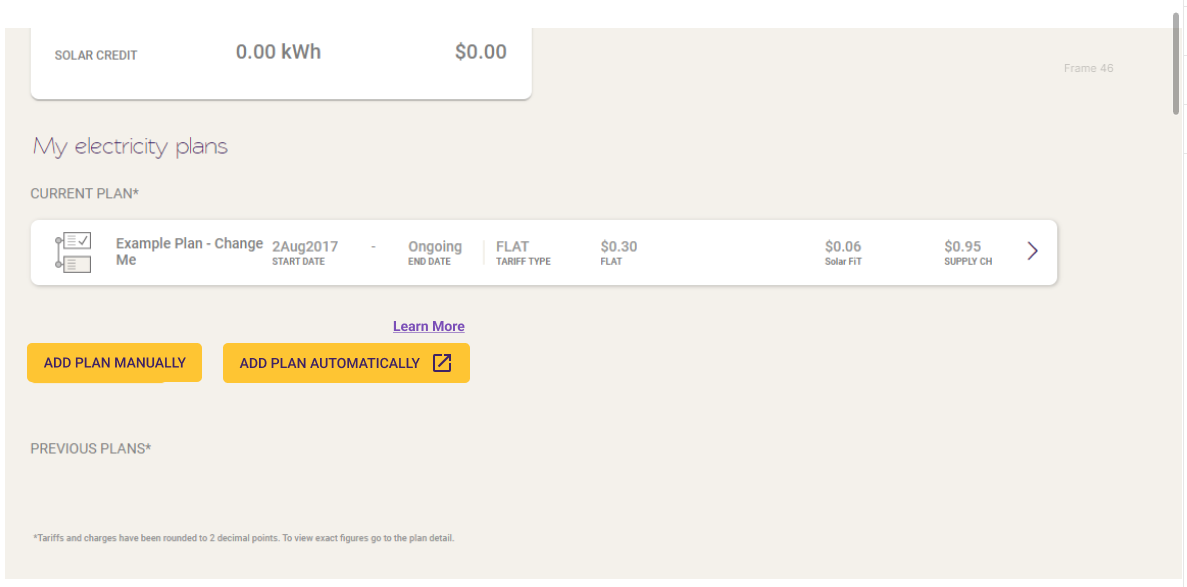
If your site doesn’t have a consumption meter, follow the instructions here to sign up for CDR. If you do have a consumption meter, you should see an option to ‘Add plan automatically’ on your Electricity Bill page, just like the below. As an added bonus, this consent means we’ll get your electricity plan details automatically, and keep them up to date. More info on that here.
Why can’t I see my Demand Tariff after providing CDR consent?
There is a chance that your demand tariff is not supported yet. As CDR is available for different data holders, these data holders will have different energy formats. If you have this issue, please reach out to product@solaranalytics.com and attach your site ID and your electricity bill so that we can try to investigate.
Why can’t I see my Demand Tariff any more?
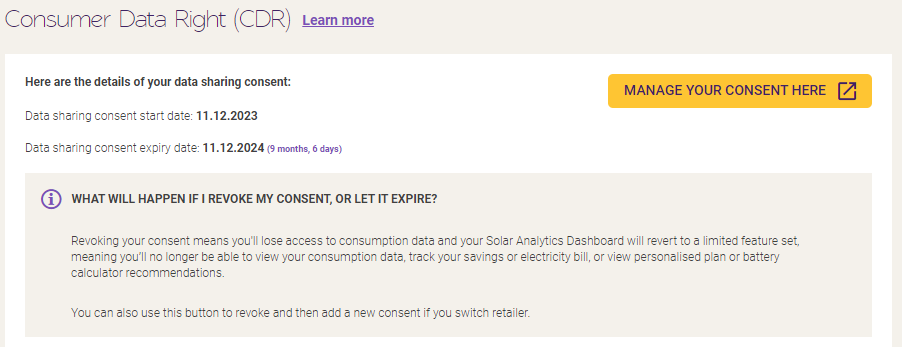
If you’ve recently switched retailers, you will only be able to view your Demand Tariff up to the date that you switched. If you switched to another CDR-supported retailer, you’ll just need to hit the ‘Manage plan consent’ button on your Electricity Bill page, or head to Settings > My Site. Once you’ve clicked through, select the bin icon next to your current consent to revoke it, then you can add a new one by following the ‘Add plan automatically’ prompts from your Electricity Bill page, or ‘Add consumption data’ (if you don’t have it already!) from your Dashboard homepage.
Why is my Demand Tariff usage and costs not matching with my electricity bill?
You may want to double check your energy retailer for this to check if the demand tariff calculation provided on the bill also includes Controlled Load usage. Please note that Demand Tariff only uses Peak Usage and not Controlled Load usage, there is a chance that the energy retailer might have included all usage in that calculation. Best to check with them again.
If your site is a Wattwatcher-integrated site, please check if all your data is complete and not missing due to communication fault, as this will affect the demand tariff calculation.
Is my Demand Tariff considered in Battery Calculator recommendation?
Yes we have supported Demand Tariff calculation in Battery Calculator.
Demand Tariff values are taken based on the highest values within the period month or tariff period (quarterly) which is then multiplied by the number of days selected in the range of Battery Calculator.