

Sungrow - Sharing your inverter with Solar Analytics
For Solar Analytics to get access to your Sungrow data, we need you to share your site in Sungrow iSolarCloud. We then use your inverter serial number to find your system in the list of systems that have been shared with us. Please follow the steps below to share your system and find your inverter serial number.
Instructions for sharing via website
Instructions for sharing via mobile app
Sharing via iSolarCloud website
Section titled “ Sharing via iSolarCloud website”- Go to https://au.isolarcloud.com/?lang=en_US and log in. You should now see your system overview
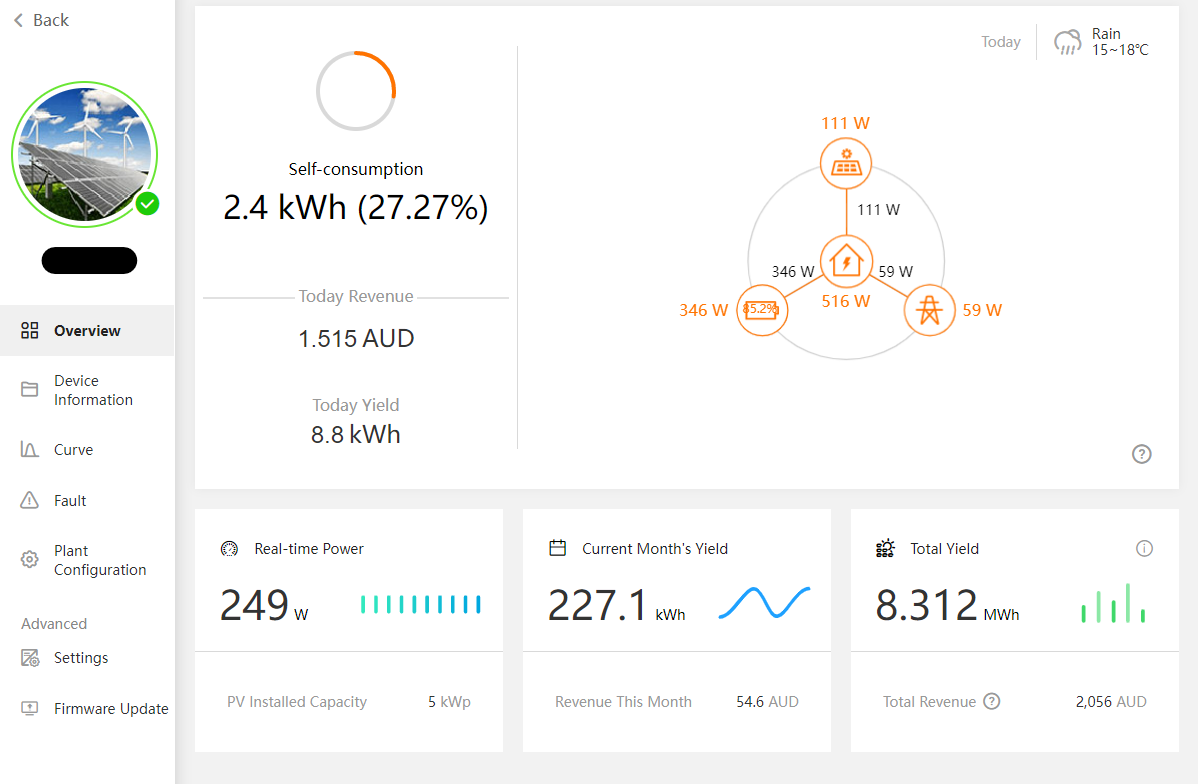
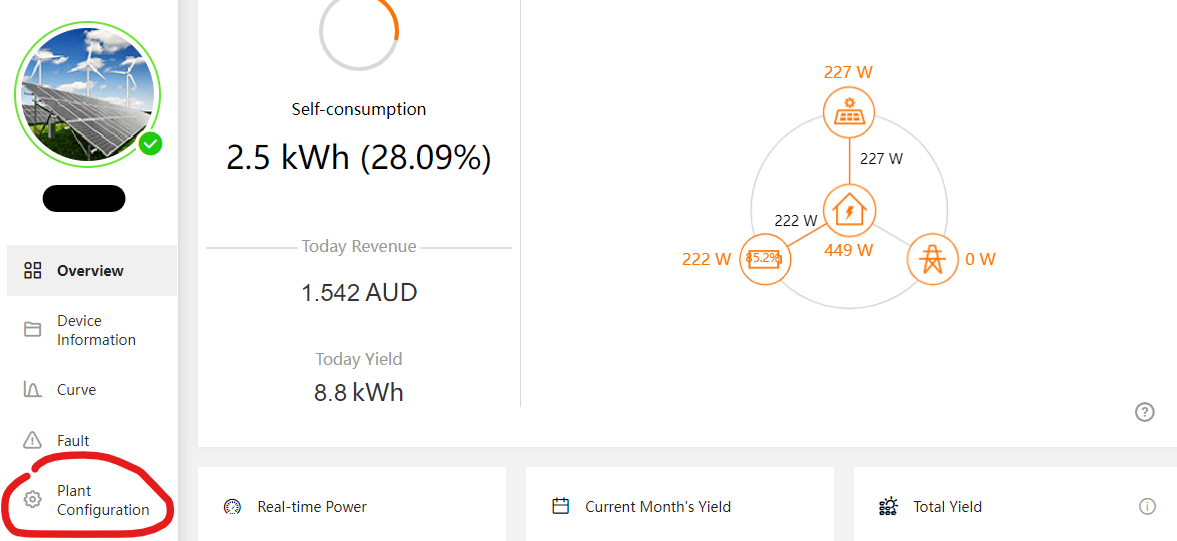
- In the side bar, select Plant Configuration, then Plant
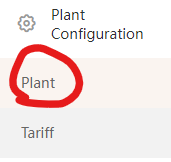
- Scroll to the very bottom where it says “Channel/Partner” and click the Settings button. Click Add in the pop-up
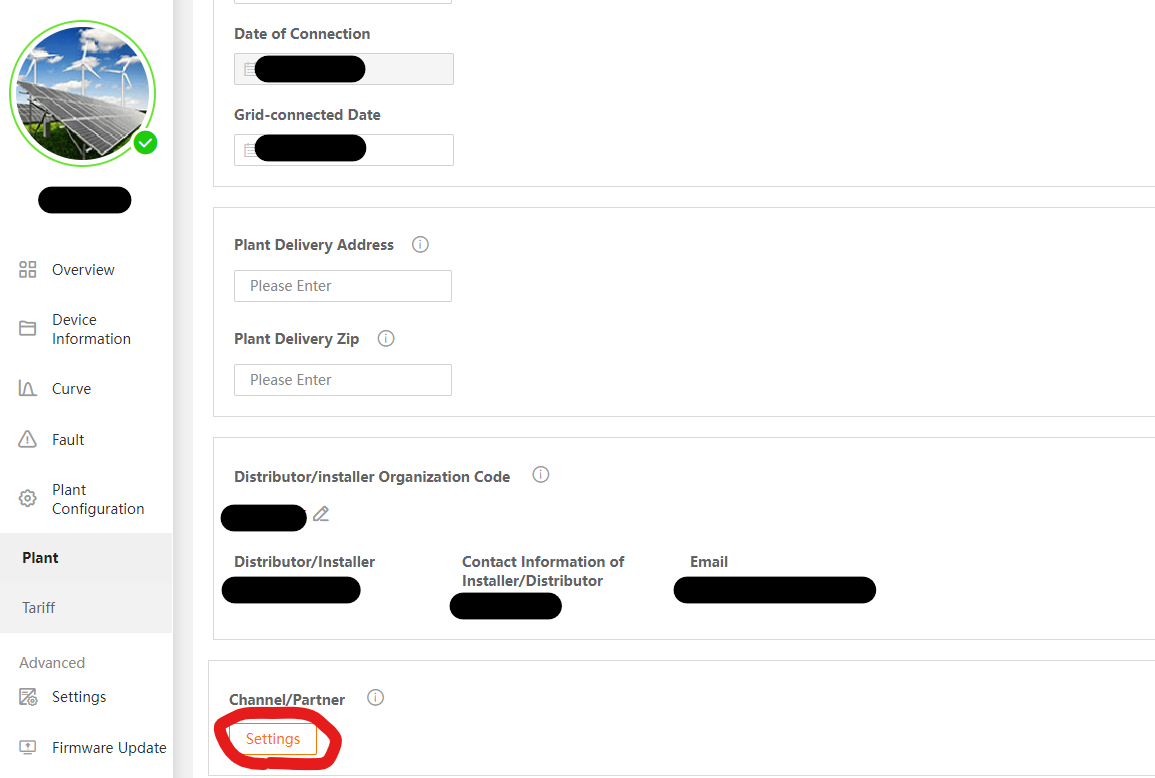

- Fill in the email as sungrow@solaranalytics.com and select the “Administrators” options
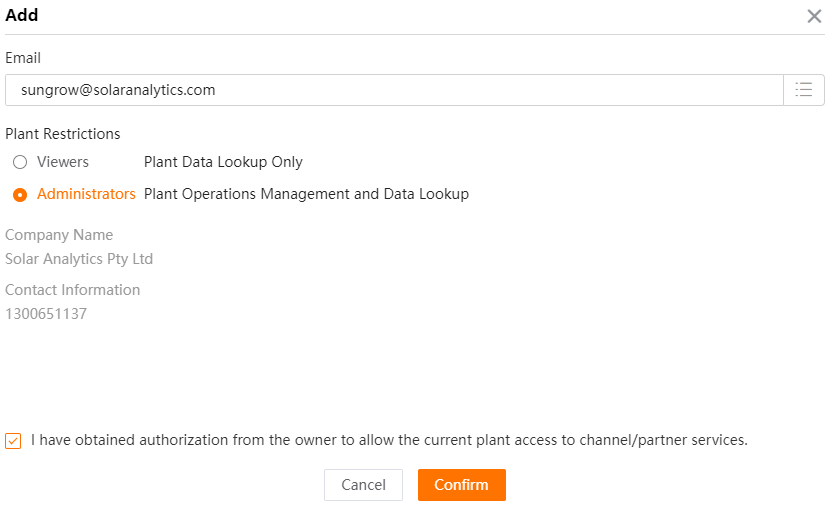
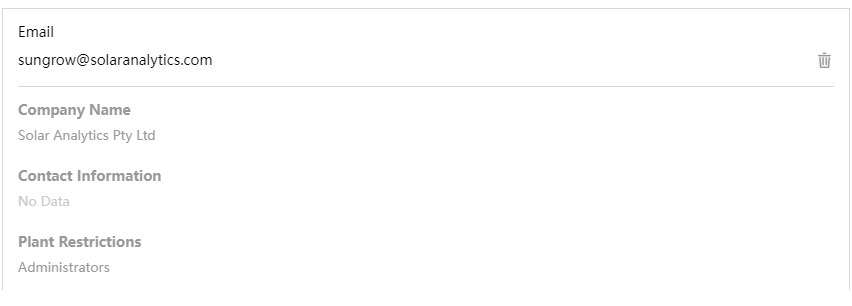
- Click confirm. If successful, you should see sungrow@solaranalytics.com added in the Channel/Partner pop-up.
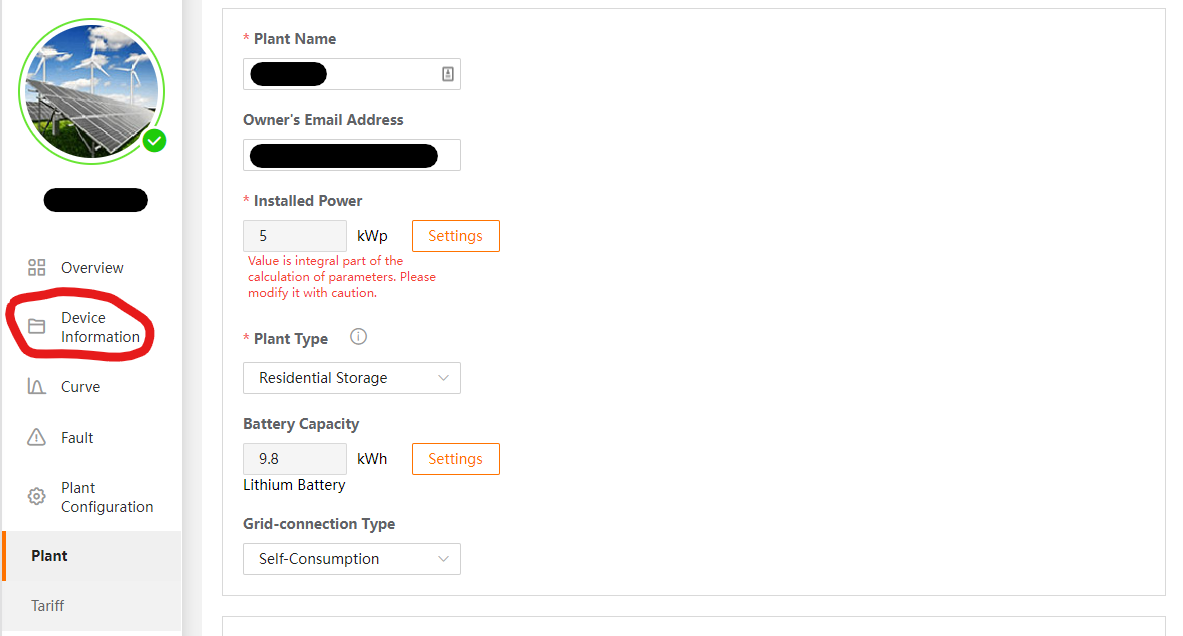
- Now to find your serial number, exit out of the Channel/Partner pop-up and go to the Device Information tab on the sidebar
- Select any Inverter or Battery Storage System (not the Communication Device or Smart Meter).
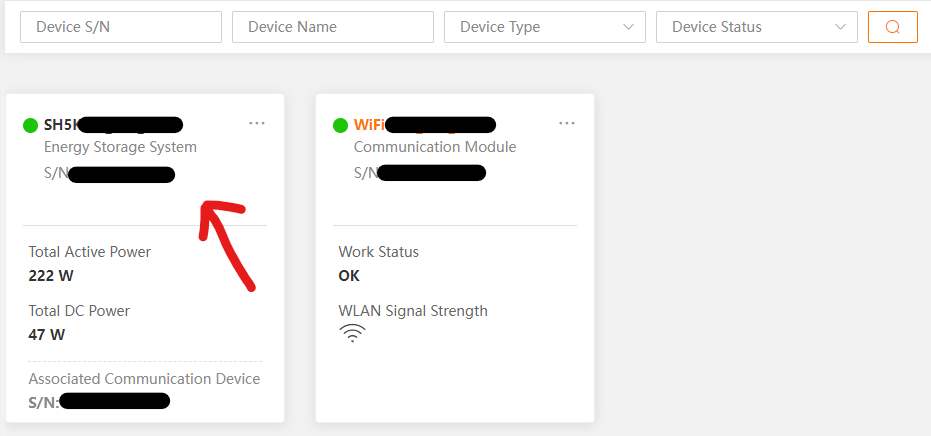
- Scroll to the down to the bottom to the Device Information section. Copy the “S/N”, and fill it into the Solar Analytics sign-up form. We will now be able to connect to your inverter!
Note: If you have multiple inverters, we only need the serial number for one of them.

Sharing via iSolarCloud App (mobile or tablet)
Section titled “ Sharing via iSolarCloud App (mobile or tablet)”- Open up the iSolarCloud App and login. You should see your dashboard
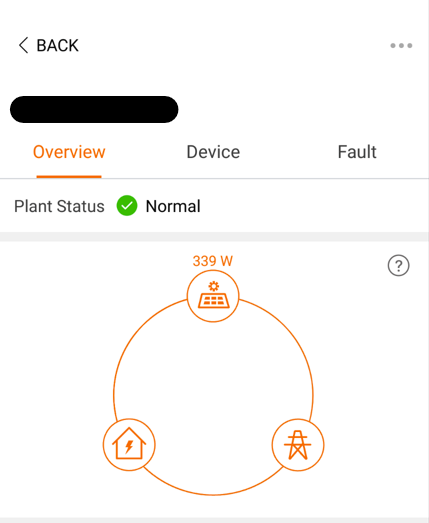
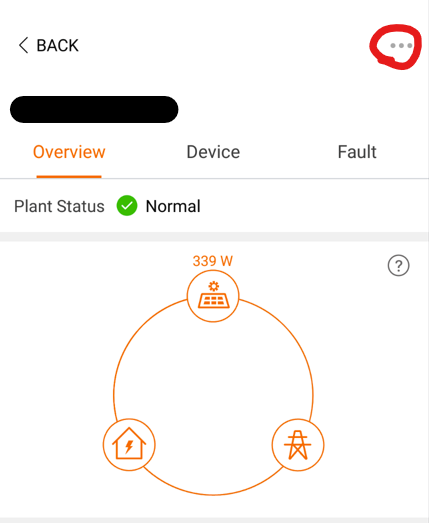
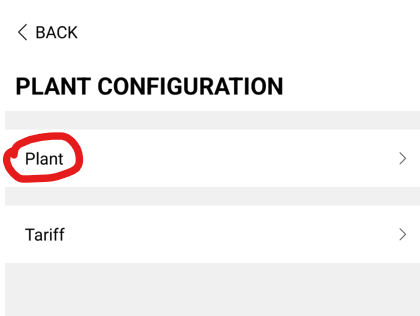
- Click on the 3 dots in the top right corner. Select Plant under the Plant Configuration Options
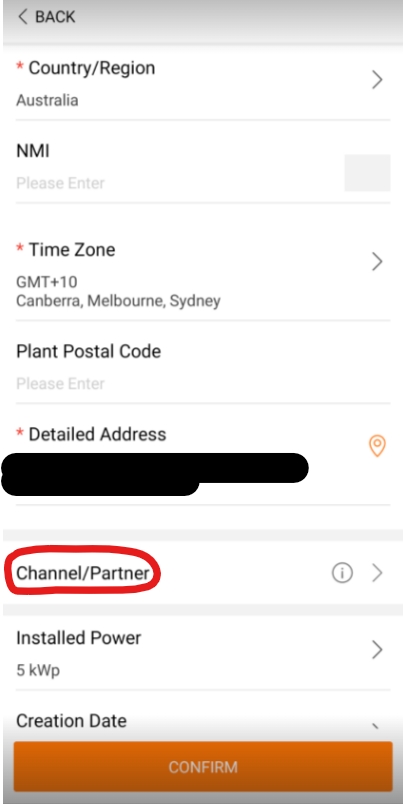
- Scroll down until you find Channel/Partner. Click on this section.
- Select Add. Fill in the email as sungrow@solaranalytics.com and select Administrators.
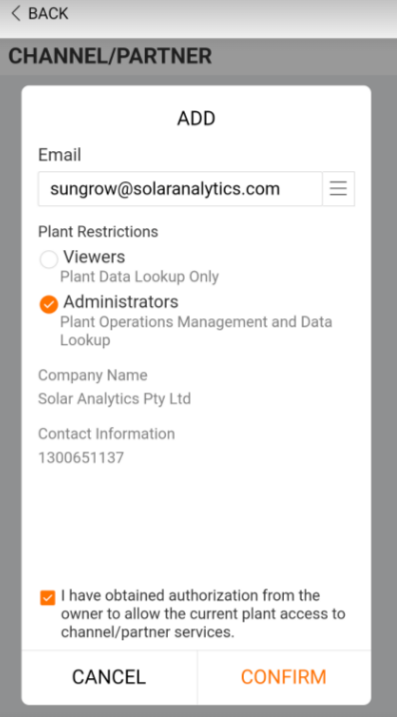
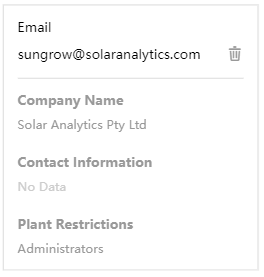
- Click CONFIRM. If successful, you should see sungrow@solaranalytics.com added as a Channel/Partner
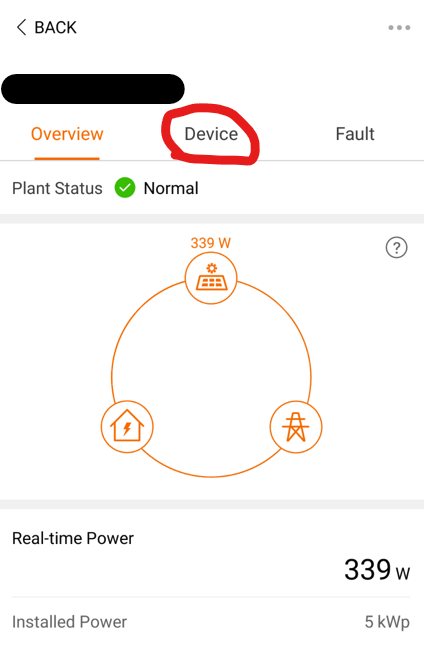
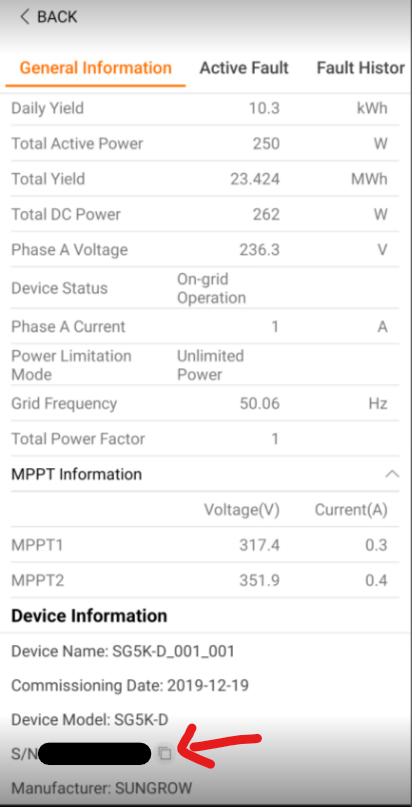
- Now to find your serial number, return to your dashboard and select the Device tab
- Select any Inverter or Battery Storage System (not the Communication Device or Smart Meter).
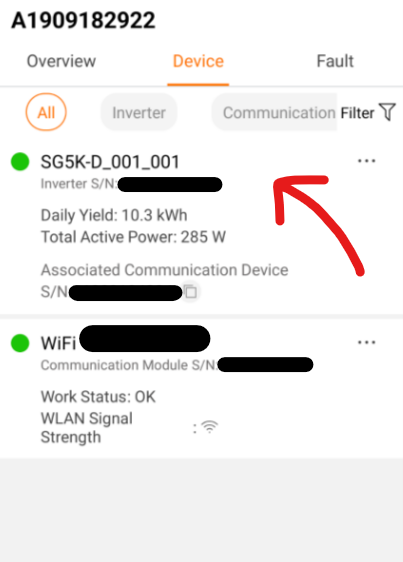
- Scroll to the bottom of the General Information section. Copy the “S/N”, and fill it into the Solar Analytics sign-up form. We will now be able to connect to your inverter!
Note: If you have multiple inverters, we only need the serial number for one of them.
What will happen next?
Section titled “What will happen next?”After completing these steps, Solar Analytics will now be able to access your Sungrow data! Our team will use the serial number you send us to identify your system and create a Solar Analytics site. Once complete (in 1-2 business days), you will receive an email to log in to your Solar Analytics dashboard.
© 2026 CATCH Power & Solar Analytics