

Goodwe and GE Solar - Sharing your inverter with Solar Analytics
For Solar Analytics to get access to your Goodwe or GE Solar inverter data, we need you to share your site in the SEMS Portal website or mobile app via our “One-Click” button. Once shared, you will get an email welcoming you to Solar Analytics within 10 minutes. Please follow the steps below to share your system.
One-Click Commissioning on the SEMS Portal mobile app
One-Click Commissioning on the SEMS Portal website
Mobile App - One-Click Commissioning
Section titled “Mobile App - One-Click Commissioning”-
Log in to the SEMS Portal Mobile app and open up your site. You should see an overview of today’s production.
-
Click on the the Edit Plant icon in the top right corner, and scroll down until you see the “Add” button for Solar Analytics.Note: there is loading time of a couple of seconds before the “Add” button appears. Please wait for the app to load.
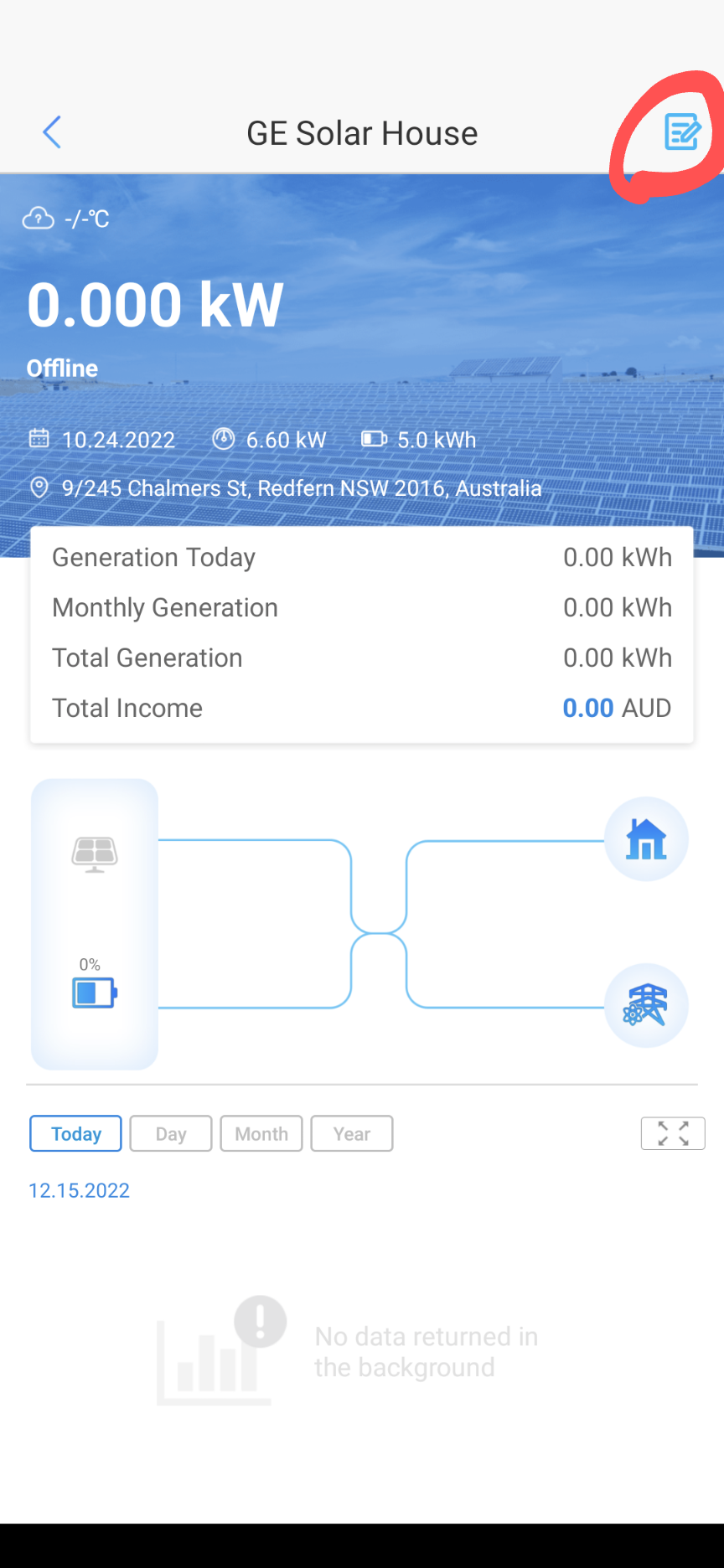
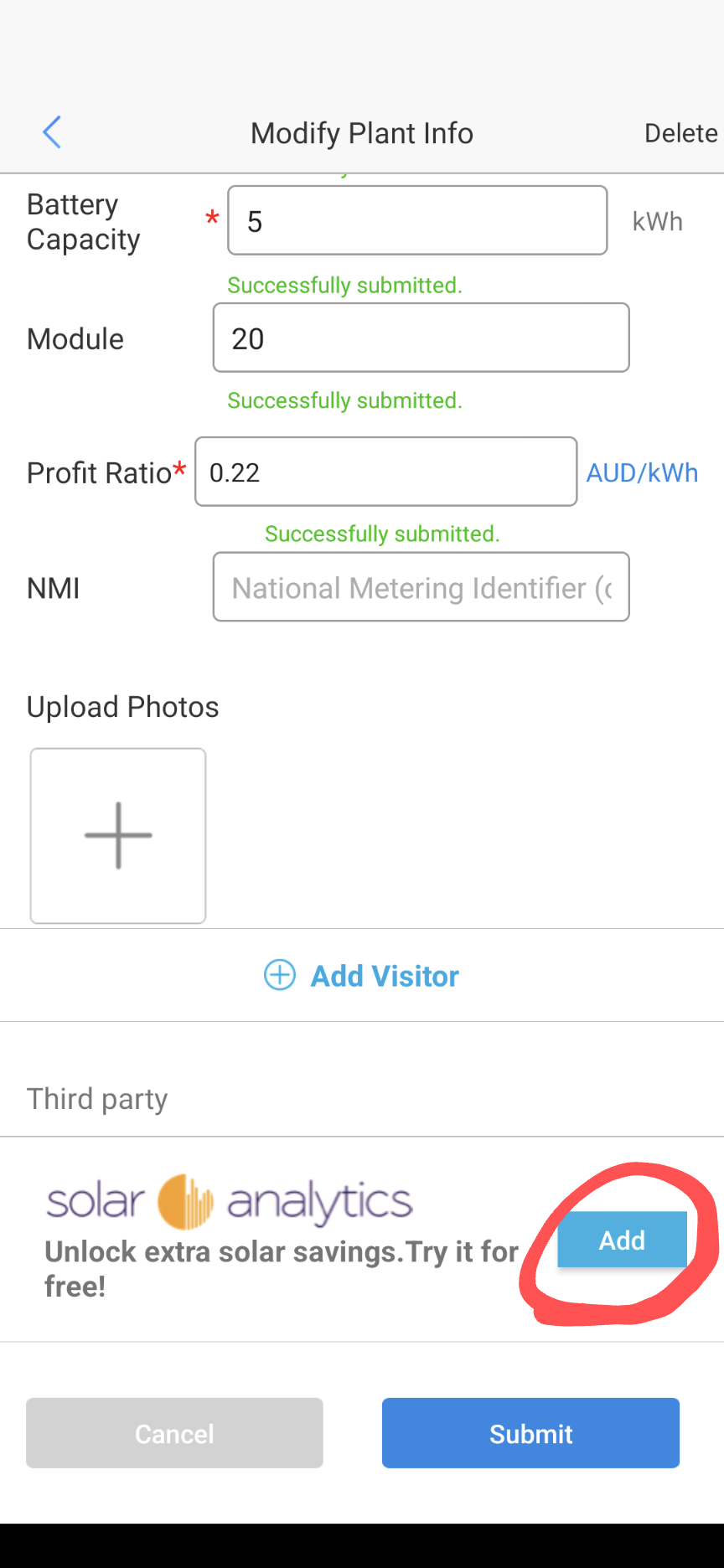
-
Click “Add” and follow the prompts to accept the Terms and Conditions. You have now shared your Goodwe plant with Solar Anaytics!
-
In around 10 minutes, you will then receive the standard “login” email to Solar Analytics
- The email be sent to your Goodwe Login Email. If you wish to use a different email please contact us below.
- If you do not login, you will receive a second emailprompting to activate trial in 5 days
-
Once you have logged in for the first time, you have begun your 30-day free trial, and will receive the following:
- In dashboard tips to get you started
- Email onboarding to help you learn our different features
- Email reminders to subscribe before the 30-day free trial is up
Website - One-Click Commissioning
Section titled “Website - One-Click Commissioning”-
Login to the SEMS portal website: Goodwe SEMS
-
Go to the Management Tab

-
Click on your site and scroll down until you see the “Add” button for Solar Analytics.

-
Click “Add” and follow the prompts to accept the Terms and Conditions. You have now shared your Goodwe plant with Solar Analytics!
-
In around 10 minutes, you will then receive the standard “login” email to Solar Analytics
- The email be sent to your Goodwe Login Email. If you wish to use a different email please click Contact Us below.
- If you do not login, you will receive a second emailprompting to activate trial in 5 days
-
Once you have logged in for the first time, you have begun your 30-day free trial, and will receive the following:
- In dashboard tips to get you started
- Email onboarding to help you learn our different features
- Email reminders to subscribe before the 30-day free trial is up