

Fronius - Sharing your inverter with Solar Analytics
For Solar Analytics to get access to your Fronius data, we need you to share your plant in Fronius Solar.Web. We then use your inverter serial number to find your system in the list of systems that have been shared with us. Please follow the steps below to share your system and find your inverter serial number.
Make sure inverters are online when sharing the site and commissioning on Solar Analytics.
Instructions for sharing via website
Instructions for sharing via mobile app
Sharing via SolarWeb website
Section titled “ Sharing via SolarWeb website”- Go to https://www.solarweb.com/ and log in. You should now see your system overview
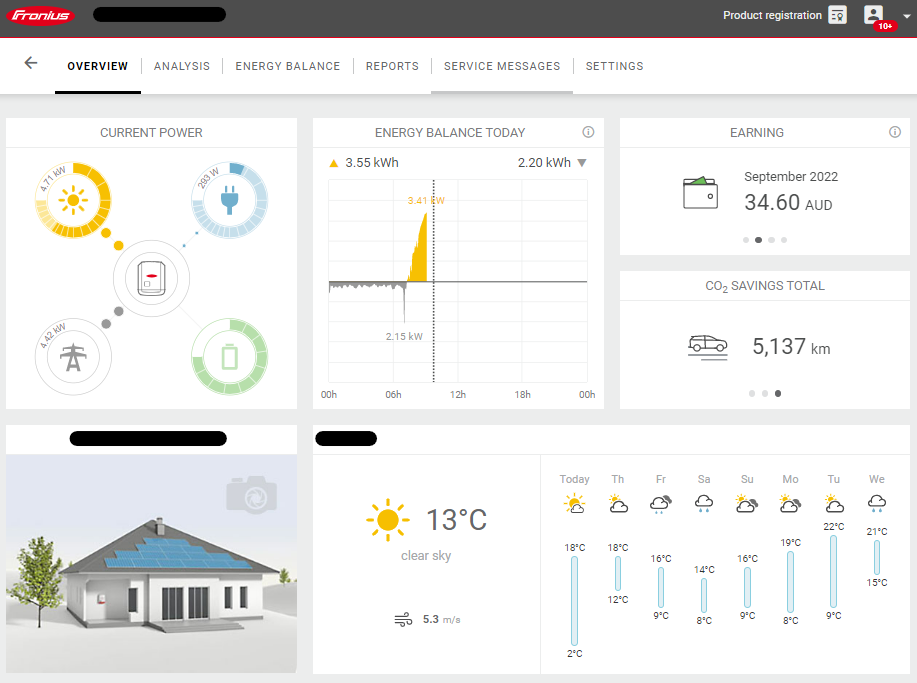
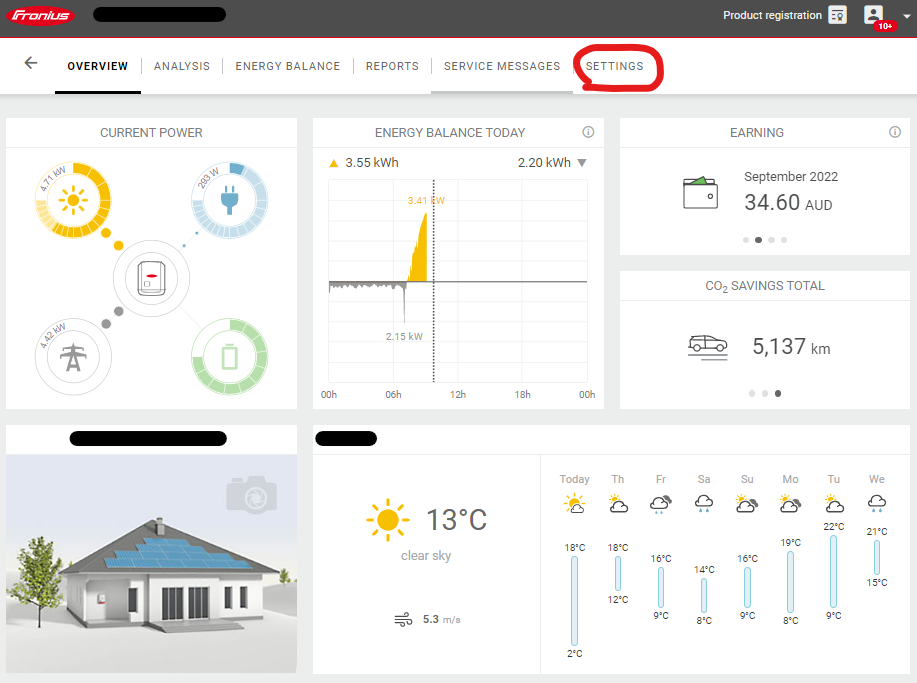
- In the top bar, select Settings then Permissions
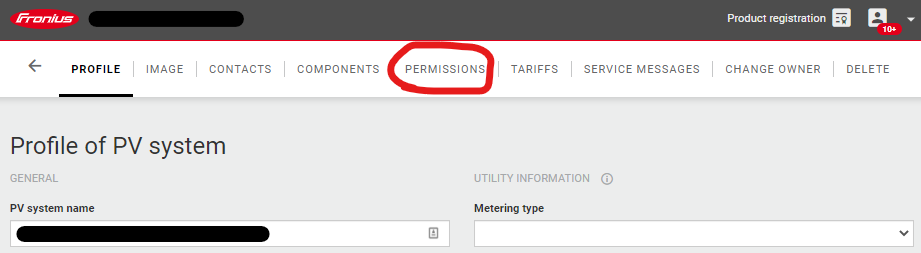
- Under “Add user to PV system”, select Add
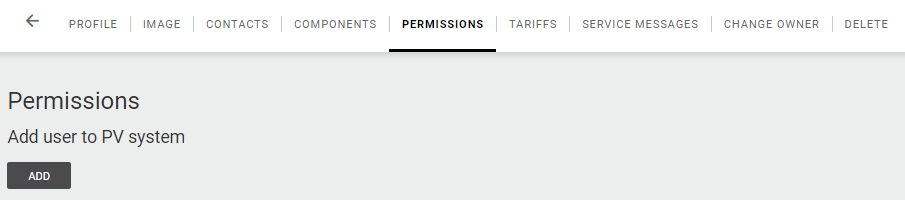
- Fill in the email as fronius@solaranalytics.com, set “Right” as either Supervisor (preferred) or Guest
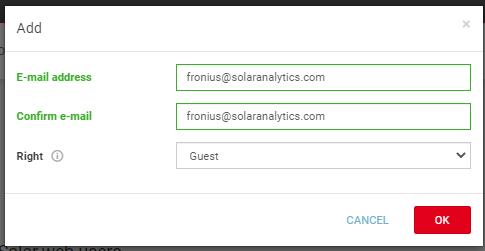
- Click OK. If successful, you should see fronius@solaranalytics.com added under “Permissions for individual Solar.Web users”
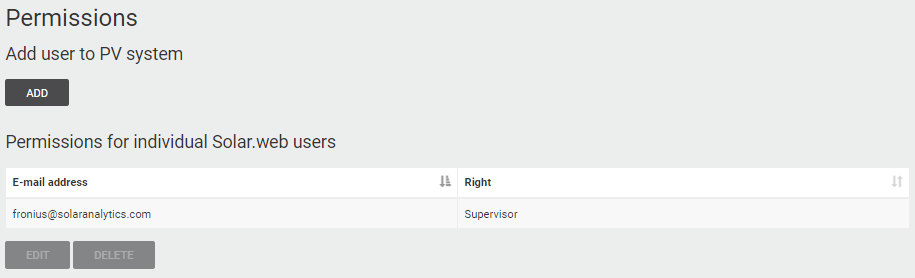
- Now to find your serial number, go to the Components tab
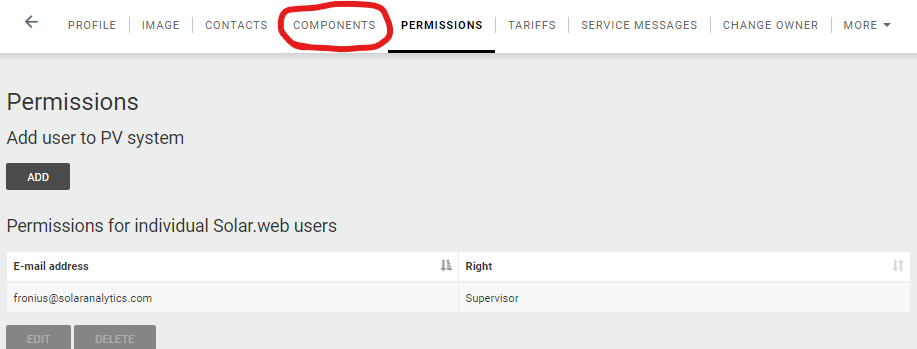
- Scroll down to Inverters and you will see the Serial Number section in the table.

- Copy this number, and fill it into the Solar Analytics sign-up form. We will now be able to connect to your inverter!
Note: If you have multiple inverters, we only need the serial number for one of them.
Sharing via SolarWeb App (mobile or tablet)
Section titled “ Sharing via SolarWeb App (mobile or tablet)”- Open up the SolarWeb App and login. You should see your dashboard
- Click on the Settings cog in the top right corner. Follow the prompts to be redirected to the webview
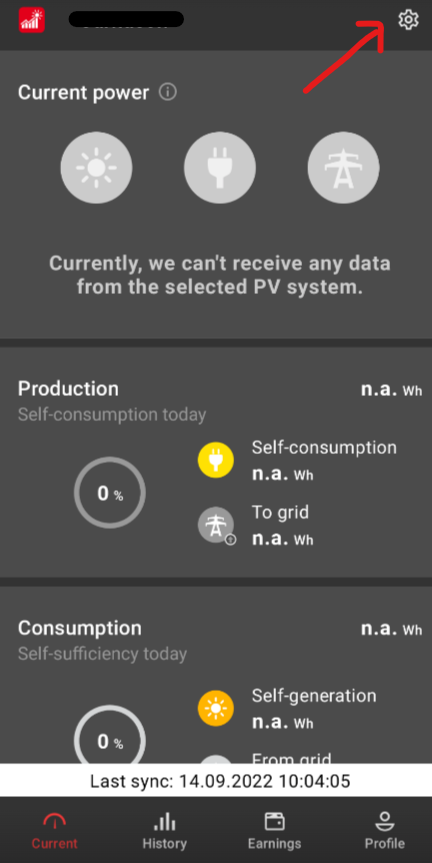
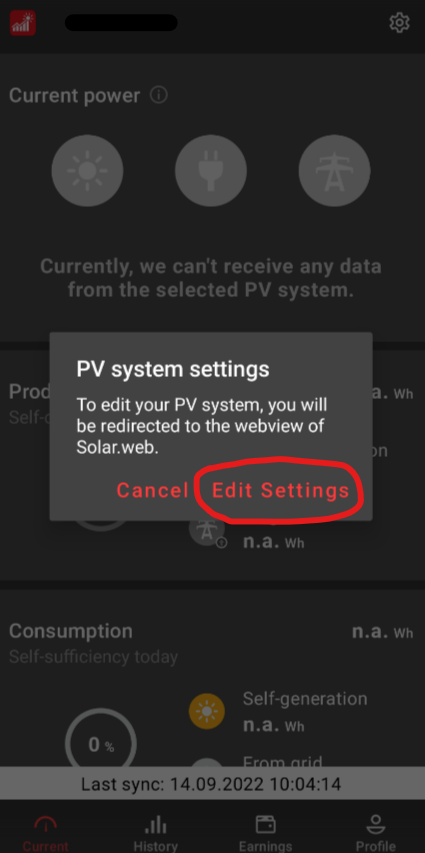
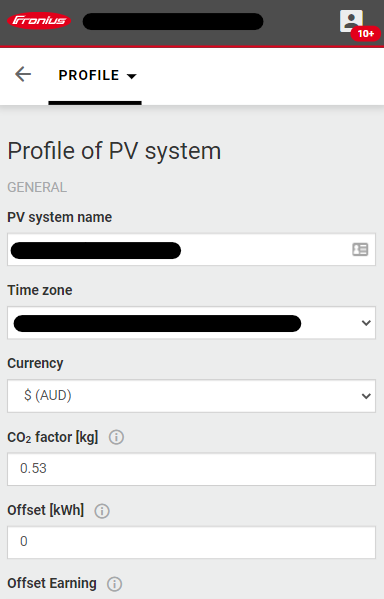
- Login to the SolarWeb web app. You should be automatically redirected to the Profile section.
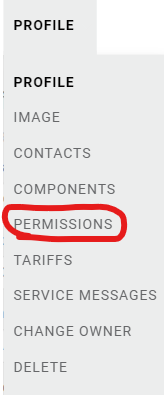
- Click on the Profile dropdown, and select Permissions. You should now see the option to “Add a user to PV system”. Click Add.
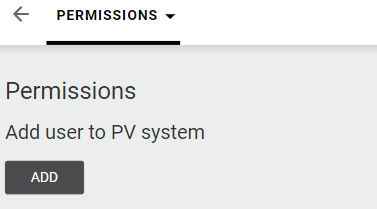
- Fill in the email as fronius@solaranalytics.com, set “Right” as either Supervisor (preferred) or Guest
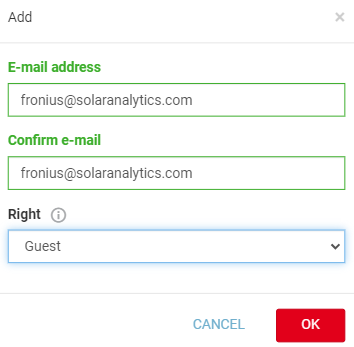
- Click OK. If successful, you should see fronius@solaranalytics.com added under “Permissions for individual Solar.Web users”
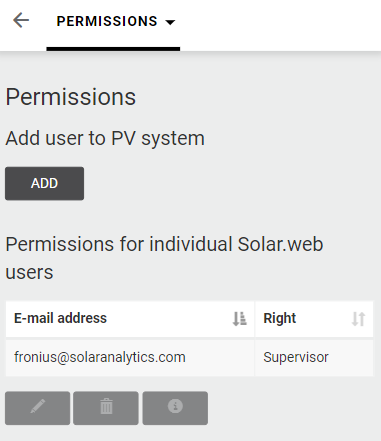
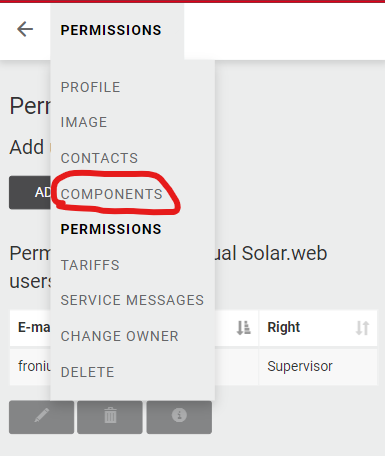
- Now to find your serial number, go to the Components tab
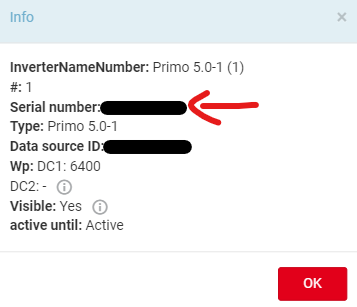
- Scroll down to Inverters, click on your Inverter Name, and then click on the info button below the list.
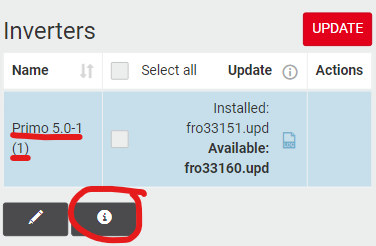
- Copy the serial number (it should be 8 digits and only numbers), and fill it into the Solar Analytics sign-up form. We will now be able to connect to your inverter!
Note: If you have multiple inverters, we only need the serial number for one of them.
What will happen next?
Section titled “What will happen next?”After completing these steps, Solar Analytics will now be able to access your Fronius data! Our team will use the serial number you send us to identify your system and create a Solar Analytics site. Once complete (in 1-2 business days), you will receive an email to log in to your Solar Analytics dashboard.