

Sungrow with Solar Analytics - Inverter Device Replacement
Sungrow Device Replacement needs to be done on the iSolarCloud platform before replacing the inverter onsite.
Please follow these steps as advised by Sungrow:
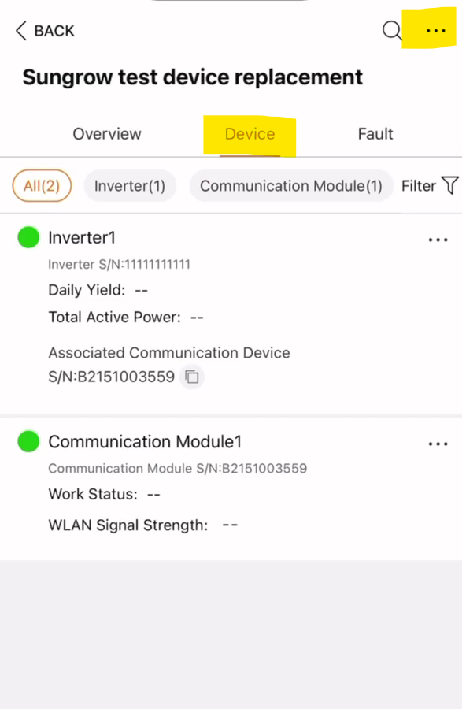
- Click on Device > click on the 3 dots
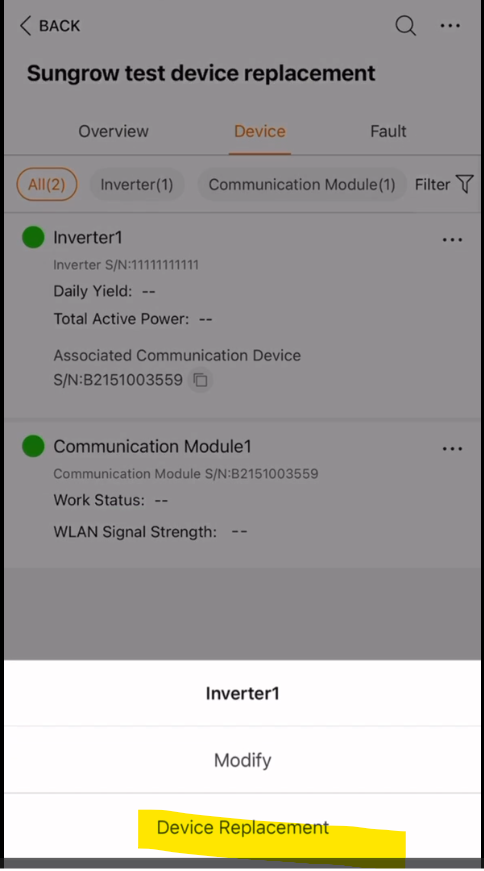
- Click on Device Replacement
-
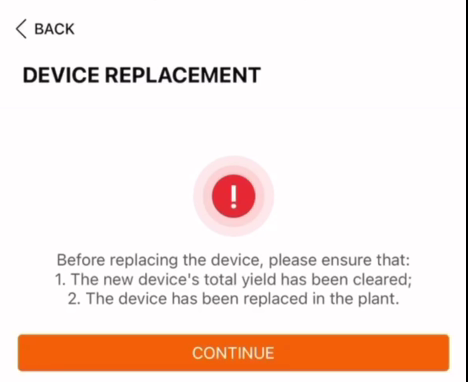
Click Continue
-
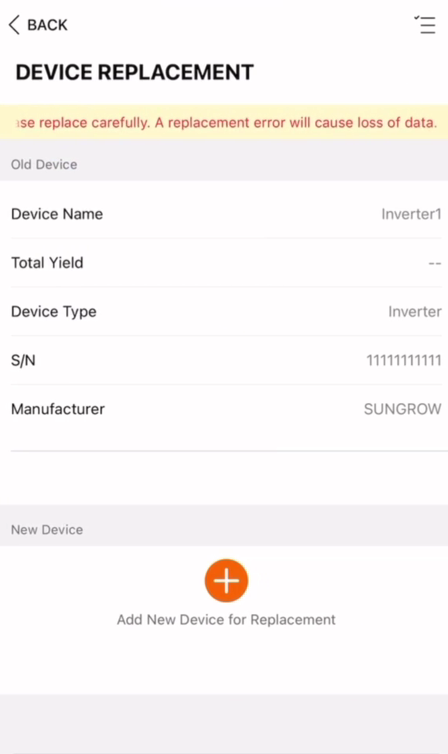
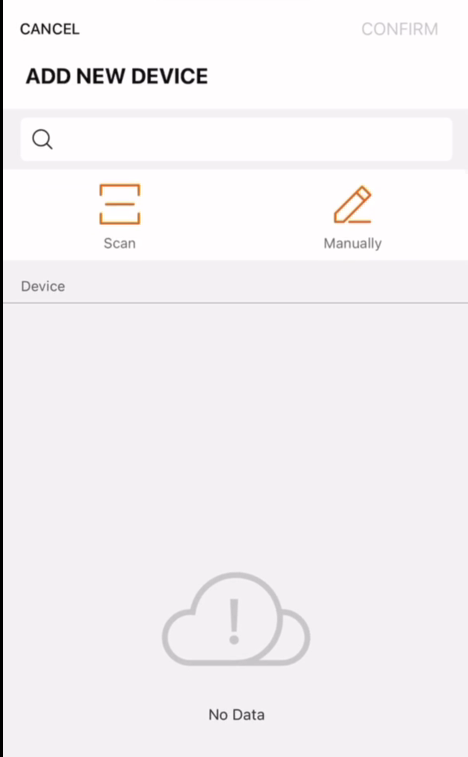
Add the new device for replacement:
-
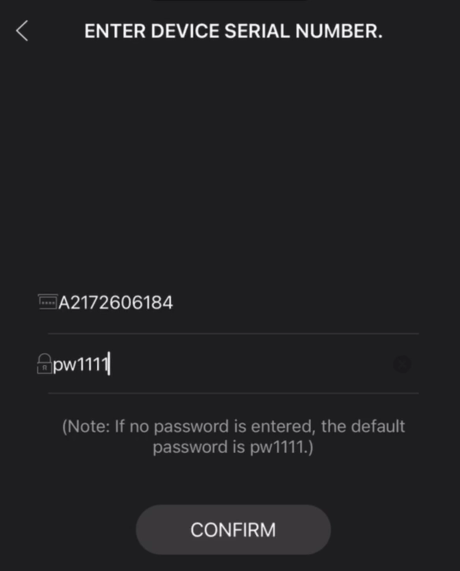
Fill in the serial number and the password, then press confirm
-
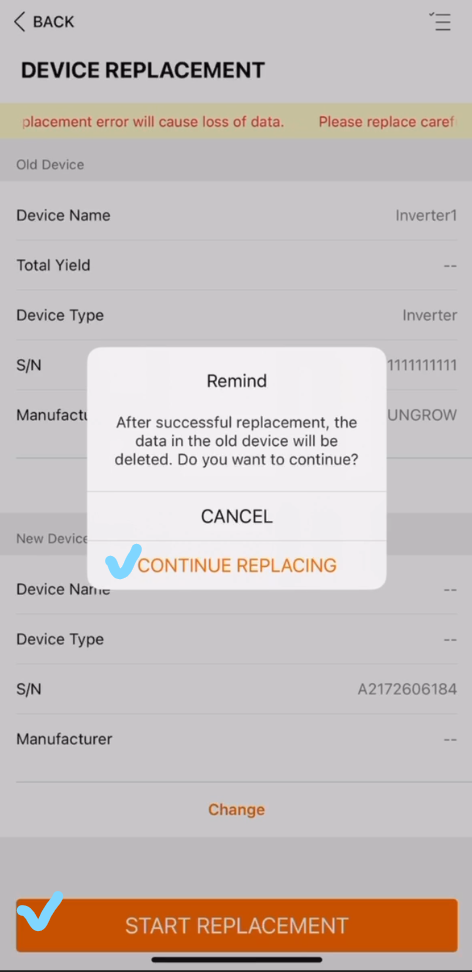
Press the Start Replacement button and press Continue Replacing
-
Device Replacement - Issuance Successful, press Complete
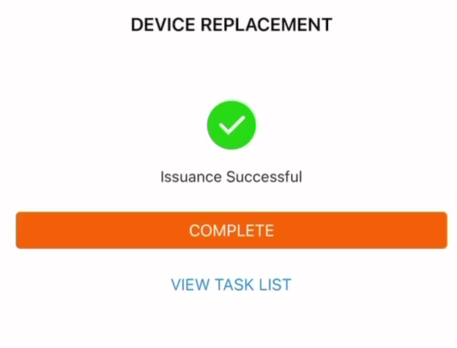
The system will calibrate itself and will include the newly replaced inverter data.
For more information of setting up on iSolarCloud, you may refer to these support articles from the Sungrow Team:
https://service.sungrowpower.com.au/Knowledge%20Base/Monitoring-System
Once this is complete on the iSolarCloud side, please notify our by clicking Contact Us so we can update this on the dashboard