

Site Registration: Summary
This section summarises the details of each registration stage before commissioning the site. In here, the user has the ability to double check each fields and edit them if needed.
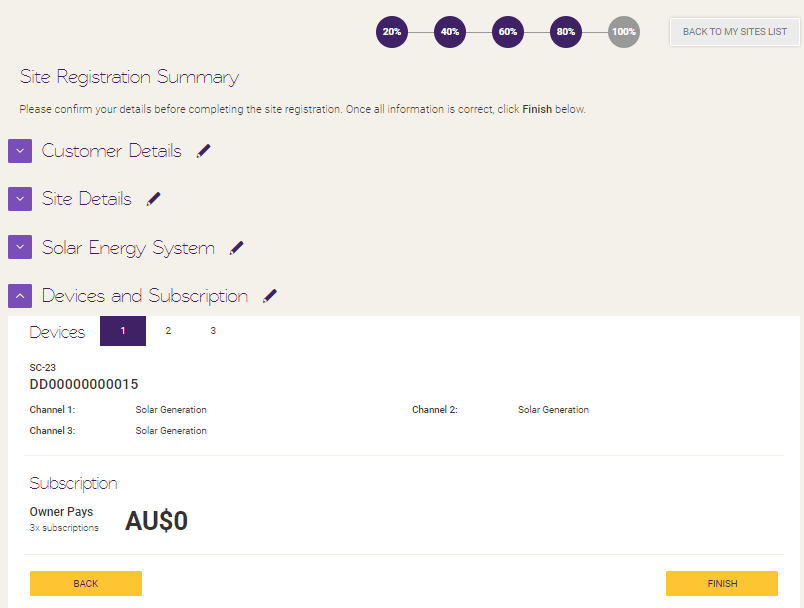
If the reseller has chosen to prepay subscription on behalf of their customer, he/she will be prompted to the payment page. Once the payment goes through, the site will get activated right away. This will also trigger an invitation email sent to the customer email inserted in the first stage [link to first stage].
If the reseller have chosen ‘Monthly’ subscription in the previous page, he/she will not be prompted to the payment page upon clicking ‘next’ and the site will get activated right away. It is advised to inform the customer that they will be prompted to choose their preferred subscription plan and payment option when they first logged in.
mceclip0 (5).png
Section titled “mceclip0 (5).png”What do I need to do if the ‘Finish’ button is greyed out and the ‘Customer Details’ section is expanded with a warning text box?
Section titled “What do I need to do if the ‘Finish’ button is greyed out and the ‘Customer Details’ section is expanded with a warning text box?”This is triggered when the the ‘site owner’ email address field is empty and will need to be filled in before the user can complete the site commissioning.
Clicking on the edit button (the pencil icon) will take the user back to Step 1 or 20% where they can update it and come back to Step 5 or 100% and the “Finish” is enabled for them to complete it.
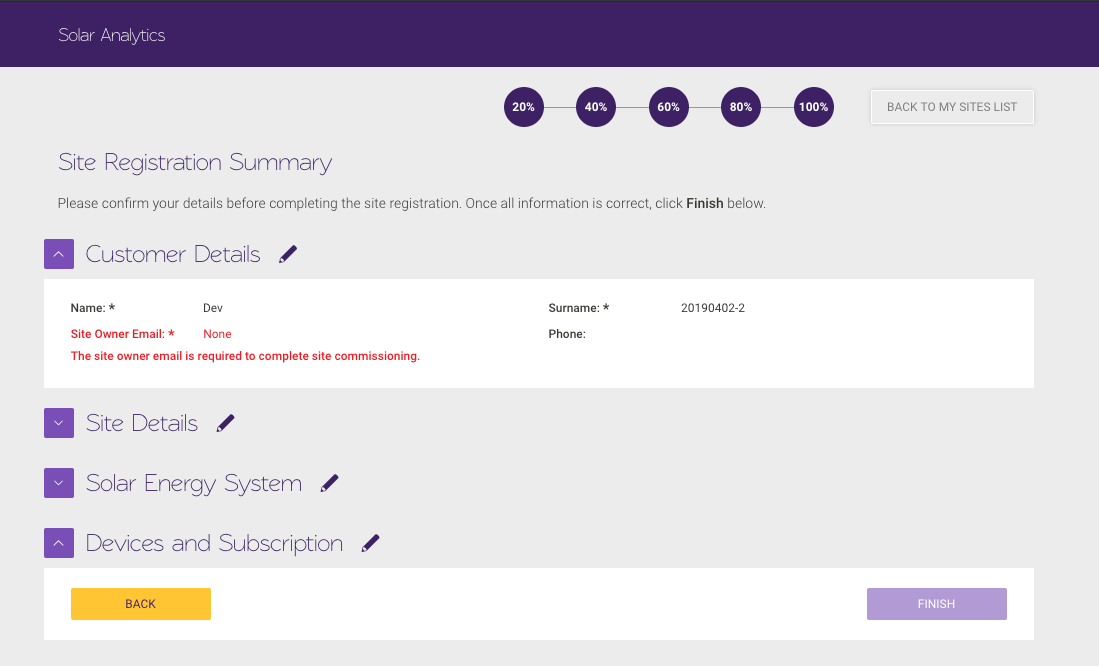
The reason for this is to ensure customer are invited via email and could access their dashboard once their site goes active and receives monthly report, notifications and subscription renewal update.