

Site Registration: Site Details
The site details page is divided in two parts, Site Details and Location.
Site Details
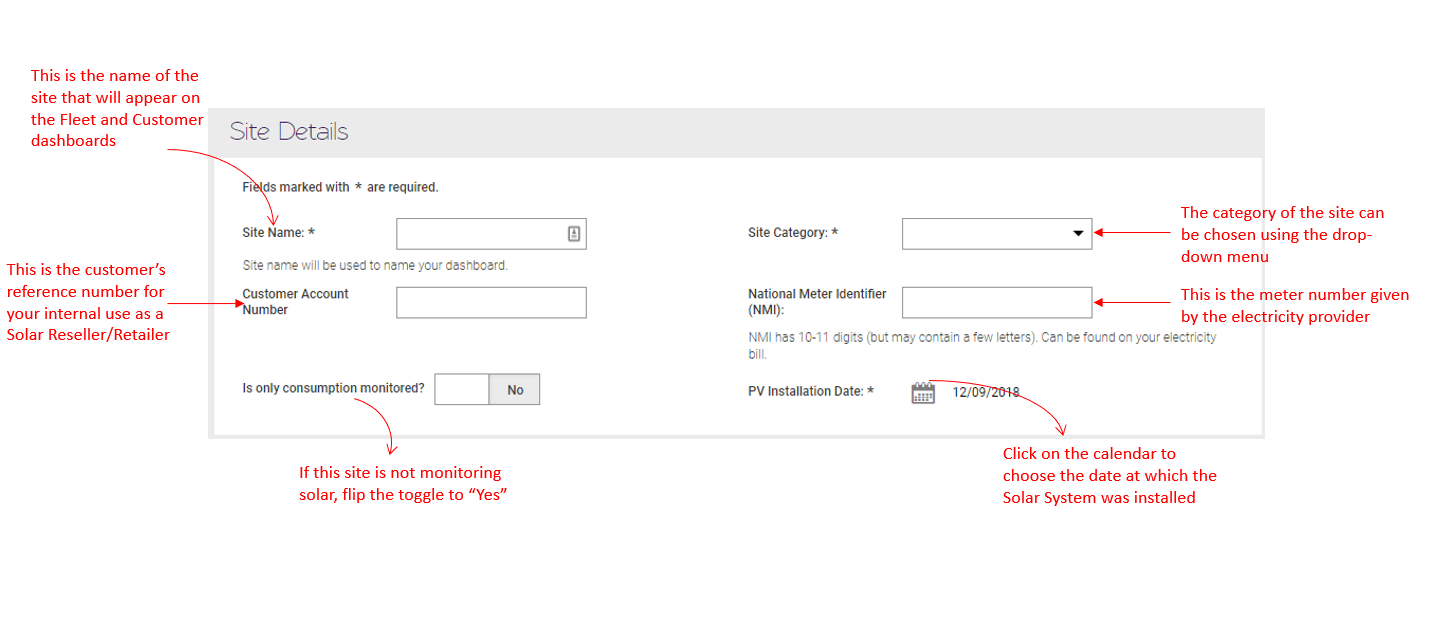
Section titled “Site Details”The below image explains all the fields for this section of Site Registration:
Location
Section titled “Location”It is extremely important that the site’s Latitude and Longitude are accurately updated when registering a site. Our patented algorithms measures against a number of benchmarks, including the local weather data. Therefore, knowing the exact location of the site ensures a more accurate measurement of the site’s expected solar production.
The following image will assist you to fill the fields on this section of the Site Registration Process:
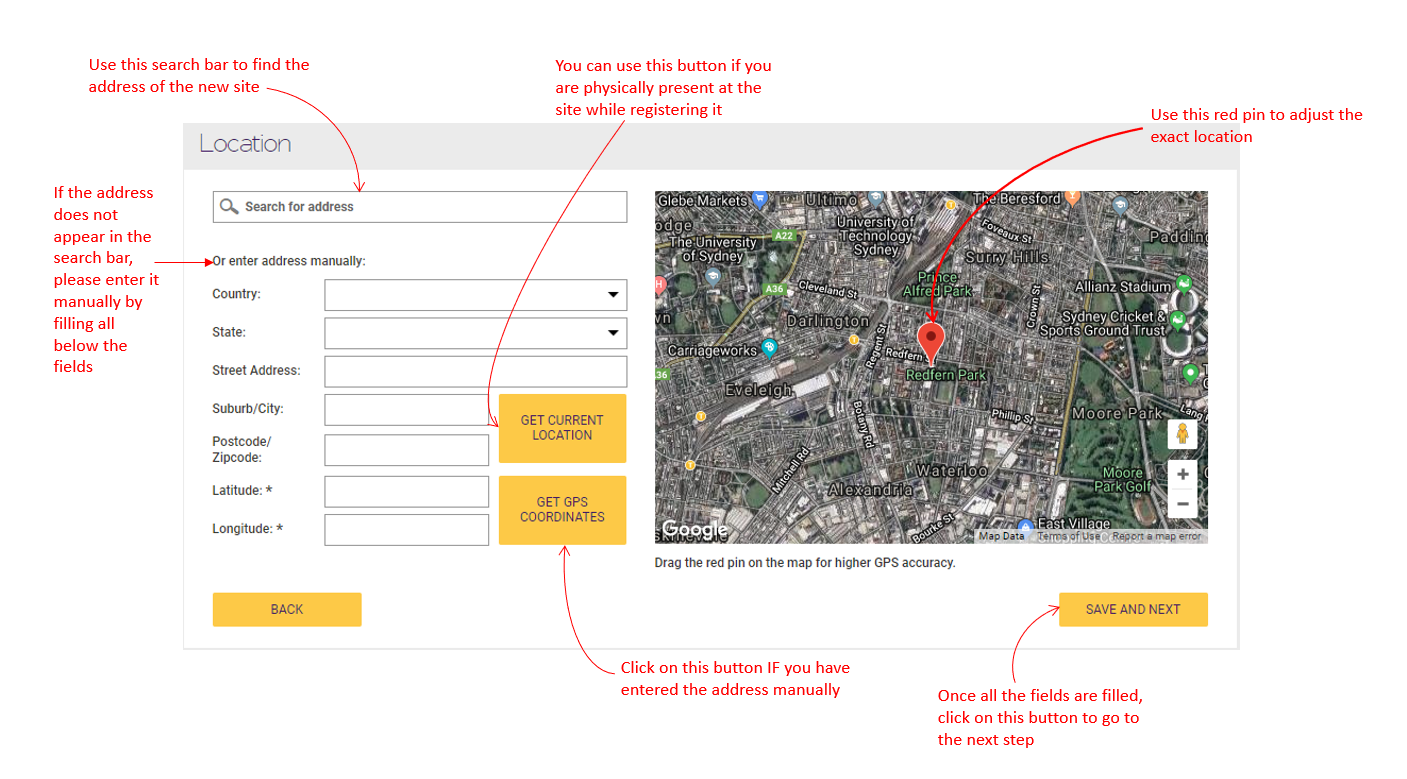
You do not have to manually enter the Latitude and Longitude values. If the address is available in the search bar, these fields would get filled automatically. However, if you are typing the address manually, you would just need to click on GET GPS COORDINATES button and the values would show up.
Also, it is always preferable to confirm from the image of the map that the correct address has been identified. If you happen to notice that the address seems a bit out of place, you can drag the red pin to adjust it to the exact location.