

Getting started if my invitation link has expired
Steps to login to your solar analytics dashboard if your invitation link has expired.
If you did not receive a Solar Analytics Welcome email, or the invitation link has expired, follow these steps:
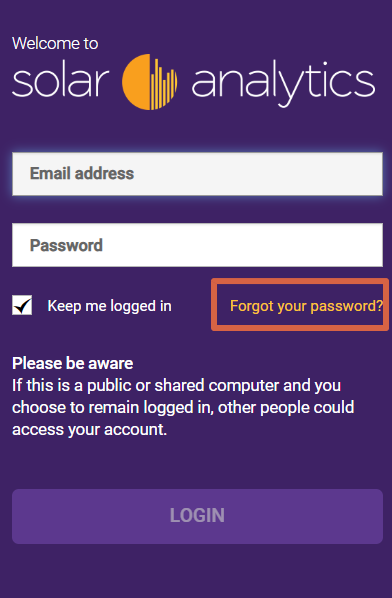
- Go to my.solaranalytics.com and enter your email address.
- Click “Forgot your password?”. This will generate a password reset email.
- Check your email inbox and spam for the reset email from Solar Analytics
- Click on the invitation link in the email to create your password.
If you do not receive a password reset email, your email may have been incorrectly entered into our system during installation.
In this case, please contact your solar installer and ask them to update your email address to ensure it is correct. If you are unable to contact your solar installer, please click ‘Contact us’ below and select Account Related Issue and fill out the necessary details and click Submit, afterwards a member of our Support Team will get back to you as soon as possible.
© 2026 CATCH Power & Solar Analytics