

Solar Analytics Subscription Invoice Download
This article aims to show how to download the invoice or receipt of the purchase of Solar Analytics subscription.
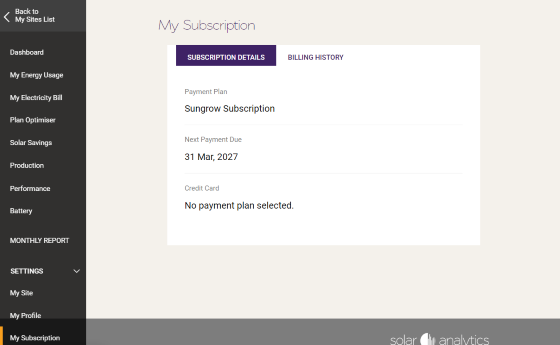
Please log in with your primary email address to Solar Analytics. 1.Go to the My Subscription page.
Section titled “Please log in with your primary email address to Solar Analytics. 1.Go to the My Subscription page.”https://my.solaranalytics.com/au/subscription/
2. Select the Billing History tab and then download the receipt(s) you wish to have copies of.
Section titled “2. Select the Billing History tab and then download the receipt(s) you wish to have copies of.”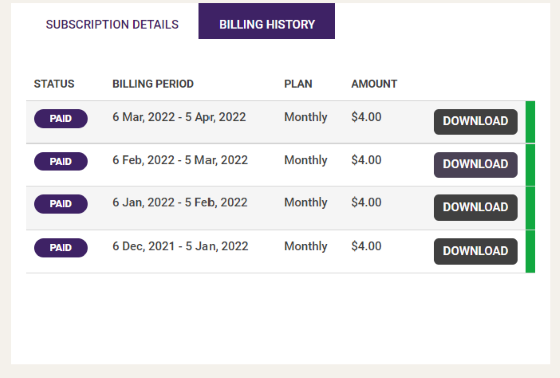
Please send us an email by clicking the ‘Contact Us’ button below if you have any questions.
© 2026 CATCH Power & Solar Analytics