Solar Analytics Subscription: FAQs
My Solar Analytics subscription is about to expire. How do I renew?
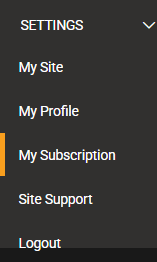
Section titled “My Solar Analytics subscription is about to expire. How do I renew?”You can only renew your subscription through the Solar Analytics dashboard through the two options here:
- ‘Click here’ button on the renew banner
- ‘My subscription’ from the menu.
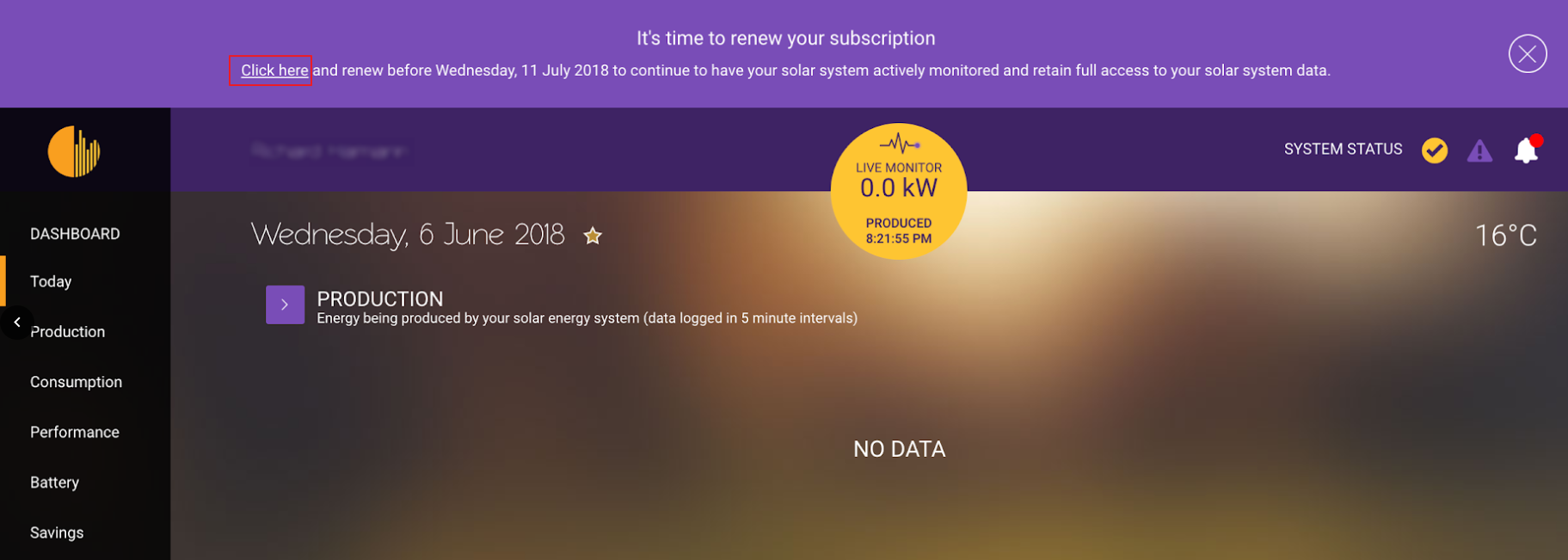
On the subscription page, you will be able to choose a payment plan to continue with the subscription.
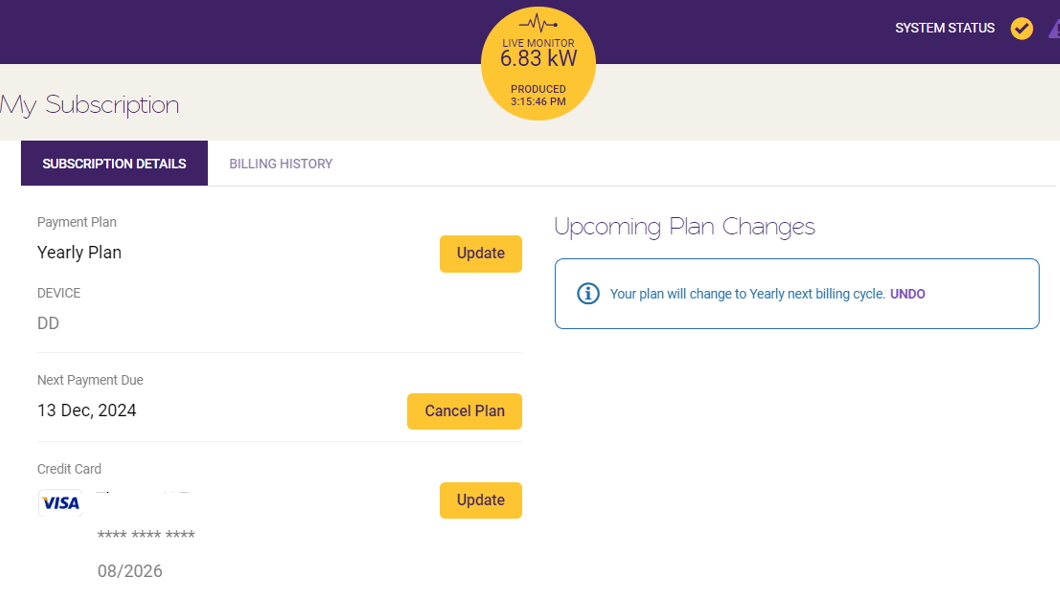
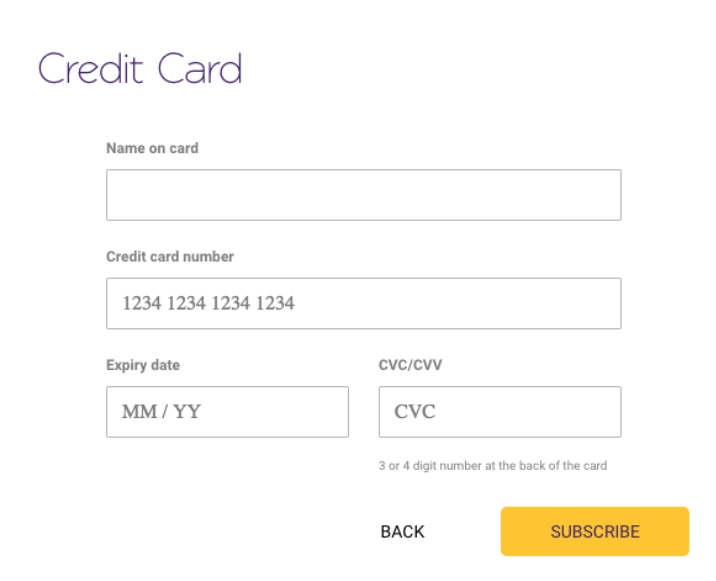
Choose a subscription type on the following page (more info on subscription types here) and then you’ll be asked to fill out your credit card details. Please note that only the following credit cards are accepted:
- American Express
- Visa
- Mastercard
My credit card expired. Will the subscription continue?
Section titled “My credit card expired. Will the subscription continue?”Monitoring will continue and your card may continue to be charged. You’ll need to update your card details or cancel your subscription (under My Subscription).
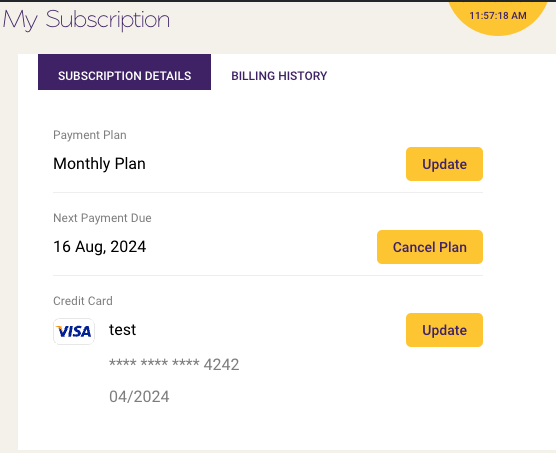
On your My Subscription page, you’ll also be able to update the payment plan and the credit card detail to continue your subscription.
Where can I see the receipts?
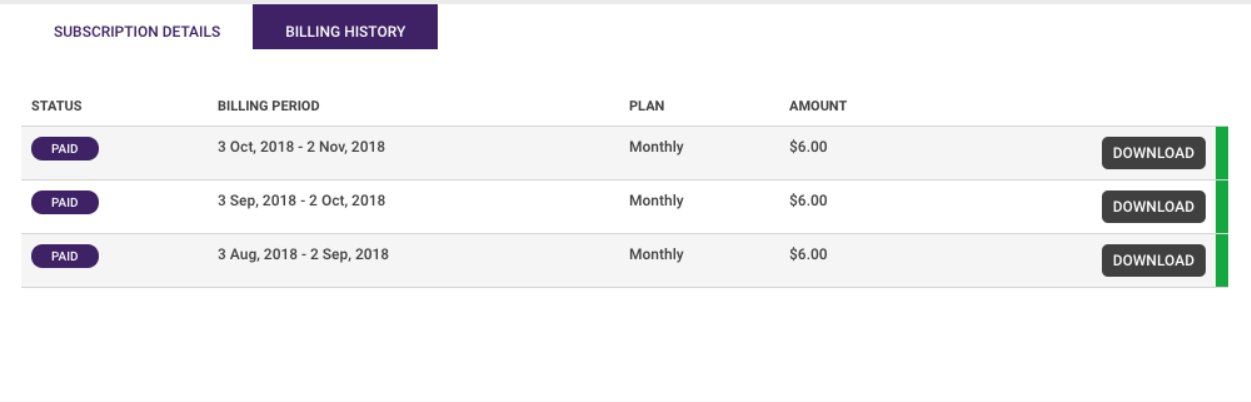
Section titled “Where can I see the receipts?”This can be found by going to ‘My subscription’ page and clicking onto the “Billing history” button. You will be able to view and download all your payment history.
Other FAQs
I have or had active subscription, yet, no receipt from Billing History
If you have or had an active Solar Analytics monitoring subscription, however, there is no receipt that is available to be download under the Billing History tab on My Subscription page, it means that your subscription was set by the Solar Analytics providers during the registration process.
In most cases, your Solar Analytics provider is the same as your Solar PV system provider.
If you feel that an incorrect subscription length has been selected for you, please contact your Solar Analytics installer and ask them to contact us (click the ‘Contact Us’) button below in order to get your subscription length rectified.
I was told that I could still access my basic solar data if I don’t renew my subscription. Is that still the case?
Solar Analytics trialed a ‘dialed down’ dashboard - similar to your inverter statistics - for some of our users who did not renew after their subscription expired. Those users voted with their fingers and let us know that they don’t see value in this limited dashboard.
We have therefore discontinued this service and are now channeling our resources into developing new features for the Solar Analytics Dashboard and improving our full subscription monitoring service. We encourage our customers who do not renew to check their inverter statistics regularly to keep an eye on whether their solar system is functioning.
How to renew a lapsed account or subscription?
To renew, simply log in with the primary email registered for the site and you will be redirected straight to the payment renewal page. Once selected, your account will be activated right away and you can start accessing your dashboard.
What happens to my historical data if I renew after the expiry date?
First of all, we do a happy dance. If you renew within 30 days of your expiry date, you will regain access to your Dashboard and all your historical data.
If you subscribe after the 30 period following your expiry date, we will still do a happy dance, but we will open a new account for you, and your solar and energy data will start displaying from that day onward. Please ensure that you download all of your solar and energy data before your expiry date, just to make sure you have a record of it.
What happens if I don’t renew my Solar Analytics software subscription on time?
If you are unable to renew your subscription, you will unfortunately not be able to log in to your Dashboard from your expiration date. We will hold your historical solar and energy data for a further 30 days in the event that you are able to renew just after your subscription expires.
I’ve already got a solar monitoring device from Solar Analytics. What do I get for my subscription?
Your Solar Analytics software subscription gives you full access to all your solar and energy data through your personal Dashboard.
You also receive active monitoring - this means that as part of the Solar Analytics fleet, we are constantly evaluating the performance of your system using our patented algorithms, local weather data, the performance of nearby systems, and other data about your system. If there is a drop in your system’s performance, a fault or if your system stops working altogether, we’ll let you and your reseller know straight away.
My reseller has already organised a subscription for me; how does the renewal process work?
You’ll receive a series of reminder emails from before the expiry date of your subscription. We will also notify you of your upcoming renewal on your personal Dashboard. At this point, you can choose the length of your subscription. More information is here:
- For inverter Integrated sites
- For Classic (hardware supported) sites with KR-63/SC-23 or A6M/A3R devices
- If you renew your subscription before your expiry date we will celebrate big time. (Seriously! We are a small company and every one of our customers who stays with us is a reason to celebrate). Instructions on how to renew them can be found here . You will continue to have access to your personal Dashboard and your site will continue to be actively monitored without interruption.
What subscription am I on, and when does it expire?
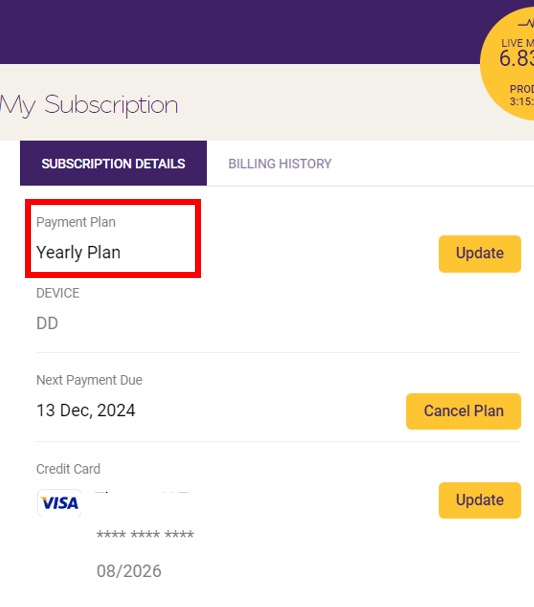
You can see exactly what kind of subscription plan you are on in the My Subscription tab on your Dashboard (refer to the screenshot below to locate it).
How do I move payment plan?
If you are already subscribed to a ‘Monthly’ or ‘Yearly’ plan, you will have the flexibility to switch between plans.
Any changes made to the plan will be applied on the next billing cycle as shown below.
If my subscription has already been paid for five or ten years, how do I renew?
This refers to when you or your installer pre-purchased a subscription *for an agreed period.*A sample on how to identify it on ‘My Subscription Page’ is shown below.
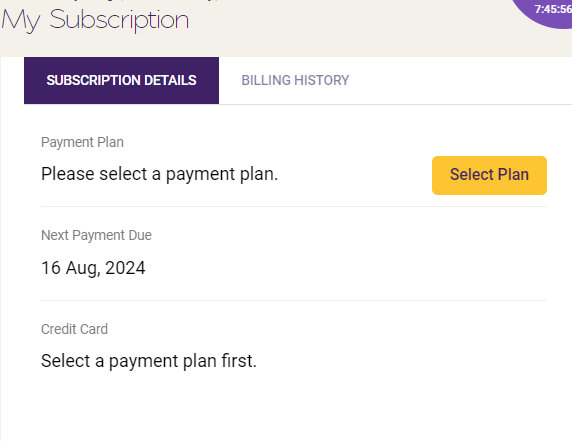
You can renew/take up the plan anytime (i.e before it expires) simply by clicking ‘Select Plan’ and you will be presented with the available subscription options. Please be aware that the new plan will start from when your current pre-paid period expires.
My payment doesn’t seem to go through on the dashboard
- Please ensure that you have enough funds in your CC before making payment.
- Also try using ‘Google Chrome’ browser for the payment. If this is the case already, please click on ‘Contact Us’ below and our support team will be assist you further.
- We would also appreciate if you can provide us with a screenshot of the error and your browser version.
How to cancel my account or subscription?
Please be aware that this feature is only applicable for customers who are on recurring monthly and yearly payment plan. Those who are on Lifetime (no longer available from 1st January 2023) and prepaid (1 year / 5 year / 10 year prepaid during site registration) won’t see this option.
Section titled “Please be aware that this feature is only applicable for customers who are on recurring monthly and yearly payment plan. Those who are on Lifetime (no longer available from 1st January 2023) and prepaid (1 year / 5 year / 10 year prepaid during site registration) won’t see this option.”-
Click on ‘My Subscription’ on the menu bar and locate the ‘Subscription Details’ tab. There would be a ‘Cancel Plan’ button next to ‘Next Payment Due Date’.
-
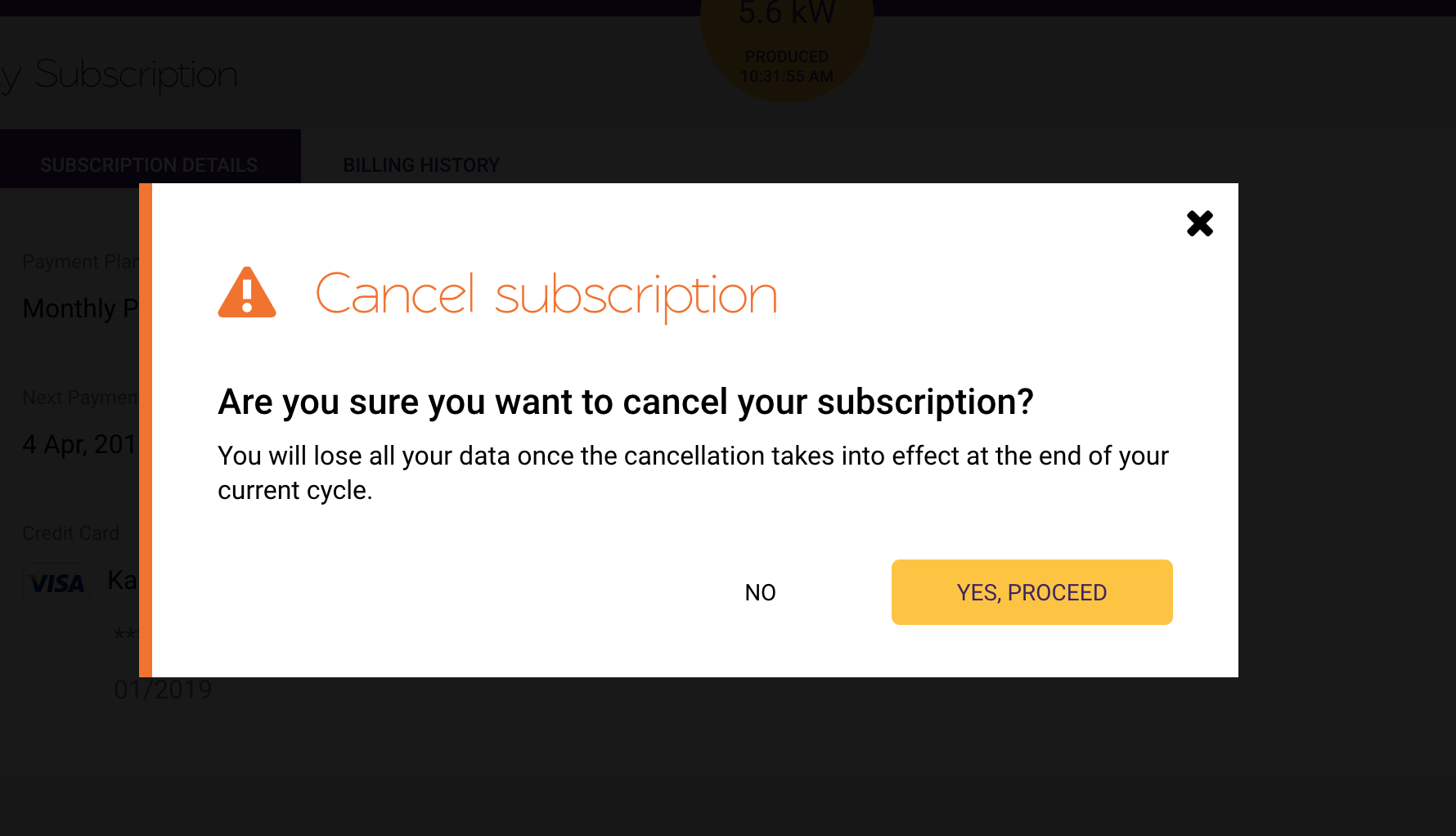
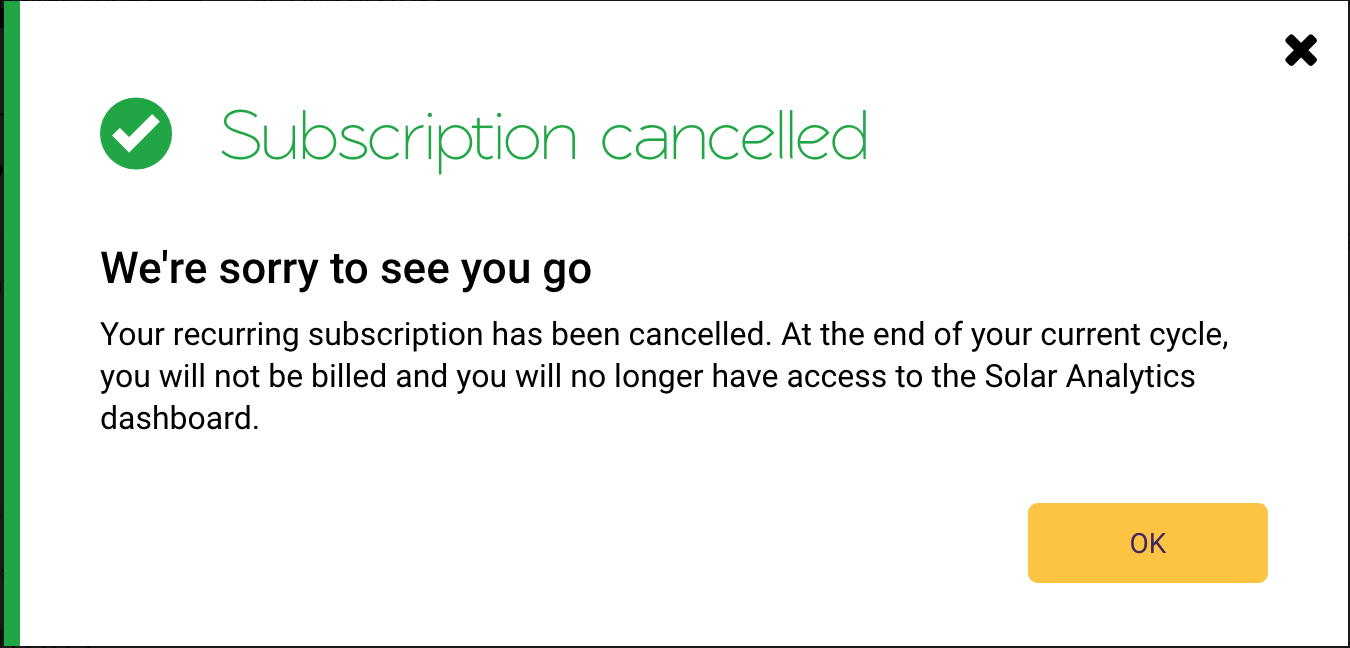
A message will pop to confirm if you would like go forward with the cancellation. A screenshot of what it looks like can be found below.
Please keep in mind that it will take into effect starting from the end of your current cycle.